Exercism - Armstrong Numbers
This post shows you how to get Armstrong Numbers exercise of Exercism.

Preparation
Before we click on our next exercise, let’s see what concepts of DART we need to consider
So we need to use the following concepts.
BigInt
BigInt is used to represent arbitrarily large integers. This is important when dealing with numbers that might exceed the range of regular int values.
void main() {
  BigInt largeNumber = BigInt.parse('123456789012345678901234567890');
  BigInt zero = BigInt.zero;
  BigInt one = BigInt.one;

  print(largeNumber);
  print(zero);
  print(one);
}
String Methods
Strings in Dart have many useful methods. The split() method divides a string into a list of substrings.
void main() {
  String number = "153";
  List<String> digits = number.split('');

  print(digits); // ['1', '5', '3']
}
Fold Method
The fold method is used to reduce a collection to a single value by iteratively combining each element with an existing value using a provided function.
void main() {
  List<int> numbers = [1, 2, 3, 4];

  int sum = numbers.fold(0, (total, number) => total + number);
  print(sum); // 10

  int product = numbers.fold(1, (total, number) => total * number);
  print(product); // 24
}
Power (Exponentiation)
The pow method raises a number to a given power. For BigInt, we use BigInt.from() to convert integers before using pow().
import 'dart:math';

void main() {
  int base = 5;
  int exponent = 3;
  int result = pow(base, exponent).toInt();

  print(result); // 125

  // With BigInt
  BigInt bigBase = BigInt.from(5);
  BigInt bigResult = bigBase.pow(3);
  print(bigResult); // 125
}
Expression Bodied Method
When we have a method with one code line, we can use this concept to keep our code tidy.
bool isEven(int number) => number % 2 == 0;Introduction
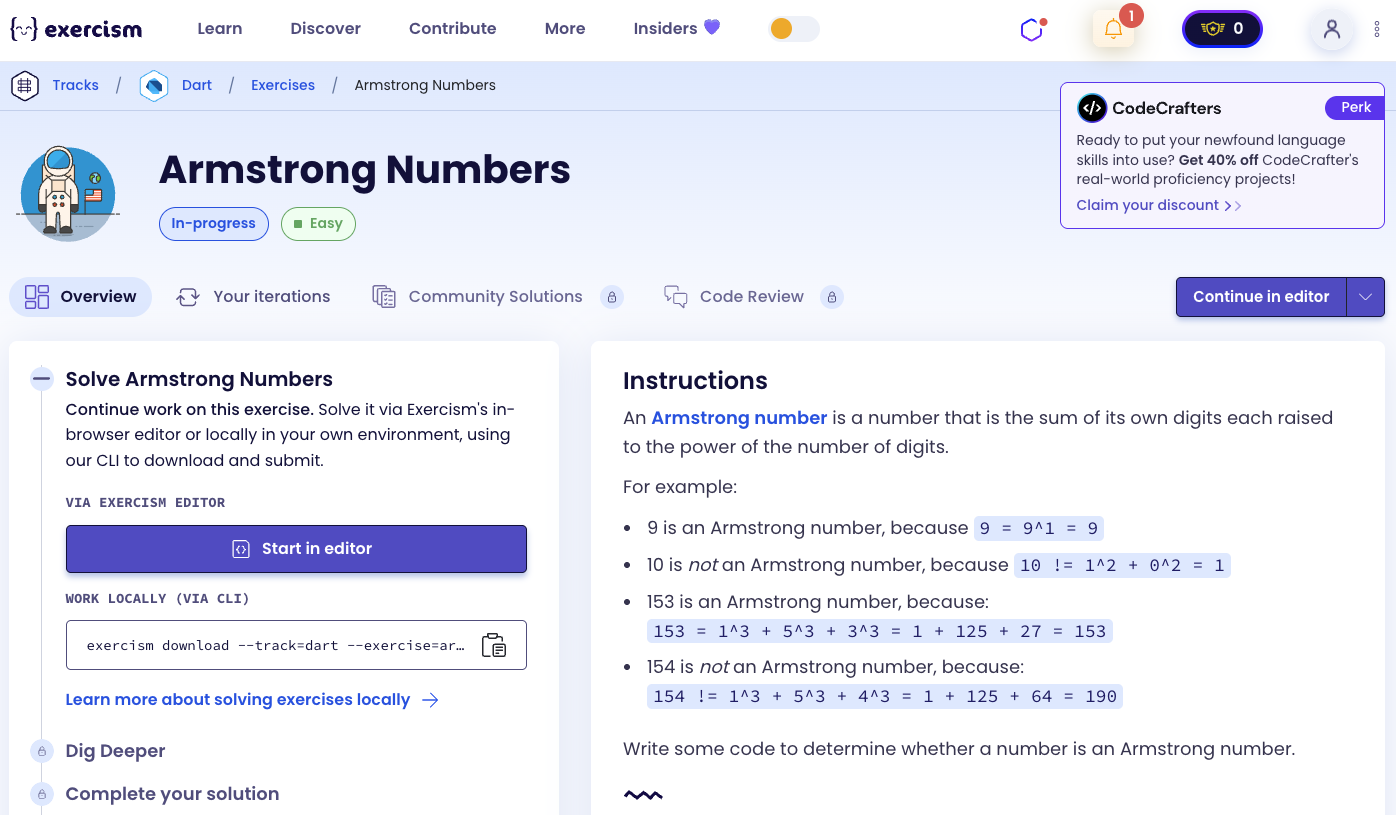
An Armstrong number is a number that is the sum of its own digits each raised to the power of the number of digits.
For example:
- 9 is an Armstrong number, because 9 = 9^1 = 9
- 10 is not an Armstrong number, because 10 ≠ 1^2 + 0^2 = 1
- 153 is an Armstrong number, because: 153 = 1^3 + 5^3 + 3^3 = 1 + 125 + 27 = 153
- 154 is not an Armstrong number, because: 154 ≠ 1^3 + 5^3 + 4^3 = 1 + 125 + 64 = 190
What is an Armstrong number?
An Armstrong number (also known as a narcissistic number, pluperfect digital invariant, or pluperfect number) is a number that is the sum of its own digits each raised to the power of the number of digits. For example, 153 is an Armstrong number because 1^3 + 5^3 + 3^3 = 153. The concept is named after Michael F. Armstrong, who is said to have discovered it.
— Wikipedia
How can we calculate an Armstrong number?
To determine if a number is an Armstrong number:
- Convert the number to a string to access individual digits
- Get the number of digits (this will be our exponent)
- For each digit, raise it to the power of the number of digits
- Sum all the powered digits
- Compare the sum with the original number
For example, with 153:
- Number of digits: 3
- 1^3 = 1
- 5^3 = 125
- 3^3 = 27
- Sum: 1 + 125 + 27 = 153
- 153 == 153 ✓ (Armstrong number)
⚠️ Old Solution (No Longer Works)
Previously, the exercise accepted an int parameter and used regular integers. Here’s what the old solution looked like:
import 'dart:math';

class ArmstrongNumbers {
  bool isArmstrongNumber(int number) => number == number.toString()
    .split("").fold(0, (prev, curr) => prev + pow(int.parse(curr), number.toString().length));
}
Why This Solution Doesn’t Work Anymore
The exercise has been updated to handle much larger numbers that exceed the maximum value of a regular int in Dart. The int type in Dart is limited to 64-bit signed integers, which means it can only represent numbers up to 9,223,372,036,854,775,807 (2^63 - 1).
When dealing with Armstrong numbers that have many digits, the calculations can produce results that exceed this limit, causing integer overflow errors. For example, calculating Armstrong numbers with 20 or more digits would require values far beyond what a standard int can handle.
The exercise now requires:
- Accepting a
Stringparameter instead ofintto handle arbitrarily large numbers - Using
BigIntfor all calculations to avoid overflow issues - This allows the solution to work with Armstrong numbers of any size
Solution
import 'dart:math';

class ArmstrongNumbers {
  bool isArmstrongNumber(String n) => BigInt.parse(n) ==
    n.split('').fold(BigInt.zero, (s, d) => s + BigInt.from(int.parse(d)).pow(n.length));
}
Let’s break down the solution:
BigInt.parse(n)- Converts the input string to a BigInt for comparisonn.split('')- Splits the string into individual digit charactersfold(BigInt.zero, ...)- Starts with zero and accumulates the sumBigInt.from(int.parse(d))- Converts each digit string to an integer, then to BigInt.pow(n.length)- Raises each digit to the power of the number of digits- The comparison
==checks if the original number equals the sum
You can watch this tutorial on YouTube. So don’t forget to like and subscribe. 😉
Watch on YouTube