Exercism - Binary Search
This post shows you how to get Binary Search exercise of Exercism.

Preparation
Before we click on our next exercise, let’s see what concepts of DART we need to consider
So we need to use the following concepts.
Classes and Constructors
Classes define blueprints for objects. Constructors initialize instances of a class with specific values.
class BinarySearch {
  final List<int> list;

  // Constructor - initializes the list
  BinarySearch(this.list);
}

void main() {
  // Create instance with list
  List<int> numbers = [1, 3, 5, 7, 9];
  BinarySearch search = BinarySearch(numbers);

  // Access the list
  print(search.list); // [1, 3, 5, 7, 9]
}
Lists
Lists are ordered collections of elements. You can access elements by index, get the length, and iterate through them.
void main() {
  List<int> list = [4, 8, 12, 16, 23, 28, 32];

  // Access by index
  print(list[0]); // 4
  print(list[3]); // 16

  // Get length
  print(list.length); // 7

  // Access last element
  print(list[list.length - 1]); // 32

  // Iterate
  for (int i = 0; i < list.length; i++) {
    print(list[i]);
  }
}
While Loops
While loops repeatedly execute a block of code as long as a condition is true. They’re perfect for binary search where we continue searching until we find the value or eliminate all possibilities.
void main() {
  int left = 0;
  int right = 10;

  // Continue while condition is true
  while (left <= right) {
    print('Searching between $left and $right');
    left++;
    right--;
  }

  // Example: binary search loop
  int target = 5;
  List<int> list = [1, 3, 5, 7, 9];
  int left = 0;
  int right = list.length - 1;

  while (left <= right) {
    int middle = (left + right) ~/ 2;
    if (list[middle] == target) {
      print('Found at index $middle');
      break;
    } else if (list[middle] < target) {
      left = middle + 1;
    } else {
      right = middle - 1;
    }
  }
}
Integer Division (~/)
The integer division operator (~/) divides two numbers and returns an integer result, discarding any remainder. It’s essential for calculating the middle index in binary search.
void main() {
  // Integer division
  int result = 7 ~/ 2;
  print(result); // 3 (not 3.5)

  // Calculate middle index
  int left = 0;
  int right = 10;
  int middle = (left + right) ~/ 2;
  print(middle); // 5

  // Avoid overflow: use (left + right) ~/ 2
  // Instead of: (left + right) / 2
  int safeMiddle = left + (right - left) ~/ 2;
  print(safeMiddle); // 5
}
Comparison Operators
Comparison operators (==, <, >, <=, >=) compare values and return boolean results. They’re used to determine which half of the list to search next.
void main() {
  int a = 5;
  int b = 10;

  // Equality
  print(a == b); // false
  print(a == 5); // true

  // Less than
  print(a < b); // true
  print(a < 3); // false

  // Greater than
  print(b > a); // true
  print(a > 10); // false

  // Less than or equal
  print(a <= 5); // true
  print(a <= 4); // false

  // Use in binary search
  int middleValue = 16;
  int target = 23;

  if (middleValue == target) {
    print('Found!');
  } else if (middleValue < target) {
    print('Search right half');
  } else {
    print('Search left half');
  }
}
Conditional Logic (if-else)
Conditional statements allow you to execute different code based on conditions. In binary search, we use if-else to decide which half of the list to search next.
void main() {
  int value = 5;

  // Simple if
  if (value > 0) {
    print('Positive');
  }

  // If-else
  if (value % 2 == 0) {
    print('Even');
  } else {
    print('Odd');
  }

  // If-else if-else
  if (value < 0) {
    print('Negative');
  } else if (value == 0) {
    print('Zero');
  } else {
    print('Positive');
  }

  // Binary search example
  int middleValue = 16;
  int target = 23;

  if (middleValue == target) {
    return middle; // Found!
  } else if (middleValue < target) {
    left = middle + 1; // Search right
  } else {
    right = middle - 1; // Search left
  }
}
Custom Exceptions
Custom exceptions allow you to create specific error types for your application. They implement the Exception interface and can carry descriptive error messages.
// value_not_found_exception.dart
class ValueNotFoundException implements Exception {
  final String message;

  ValueNotFoundException(this.message);

  @override
  String toString() => message;
}

void main() {
  // Throw custom exception
  throw ValueNotFoundException('Value 42 not found in list');

  // Catch and handle
  try {
    search.find(42);
  } catch (e) {
    print(e); // Value 42 not found in list
  }
}
Final Variables
Final variables can only be assigned once. They’re useful for values that shouldn’t change after initialization, like the middle index and middle value in binary search.
void main() {
  // Final variable - assigned once
  final int value = 5;
  // value = 10; // Error: Can't assign to final variable

  // Final with type inference
  final middle = 5;

  // Use in binary search
  final middle = left + (right - left) ~/ 2;
  final middleValue = list[middle];

  // Cannot reassign
  // middle = 10; // Error
}
Arithmetic Operations
Arithmetic operations like addition (+), subtraction (-), and integer division (~/) are used to calculate indices and adjust search boundaries.
void main() {
  int left = 0;
  int right = 10;

  // Calculate middle (avoid overflow)
  int middle = left + (right - left) ~/ 2;
  print(middle); // 5

  // Adjust boundaries
  left = middle + 1; // Move left boundary right
  right = middle - 1; // Move right boundary left

  print(left); // 6
  print(right); // 4
}
Introduction
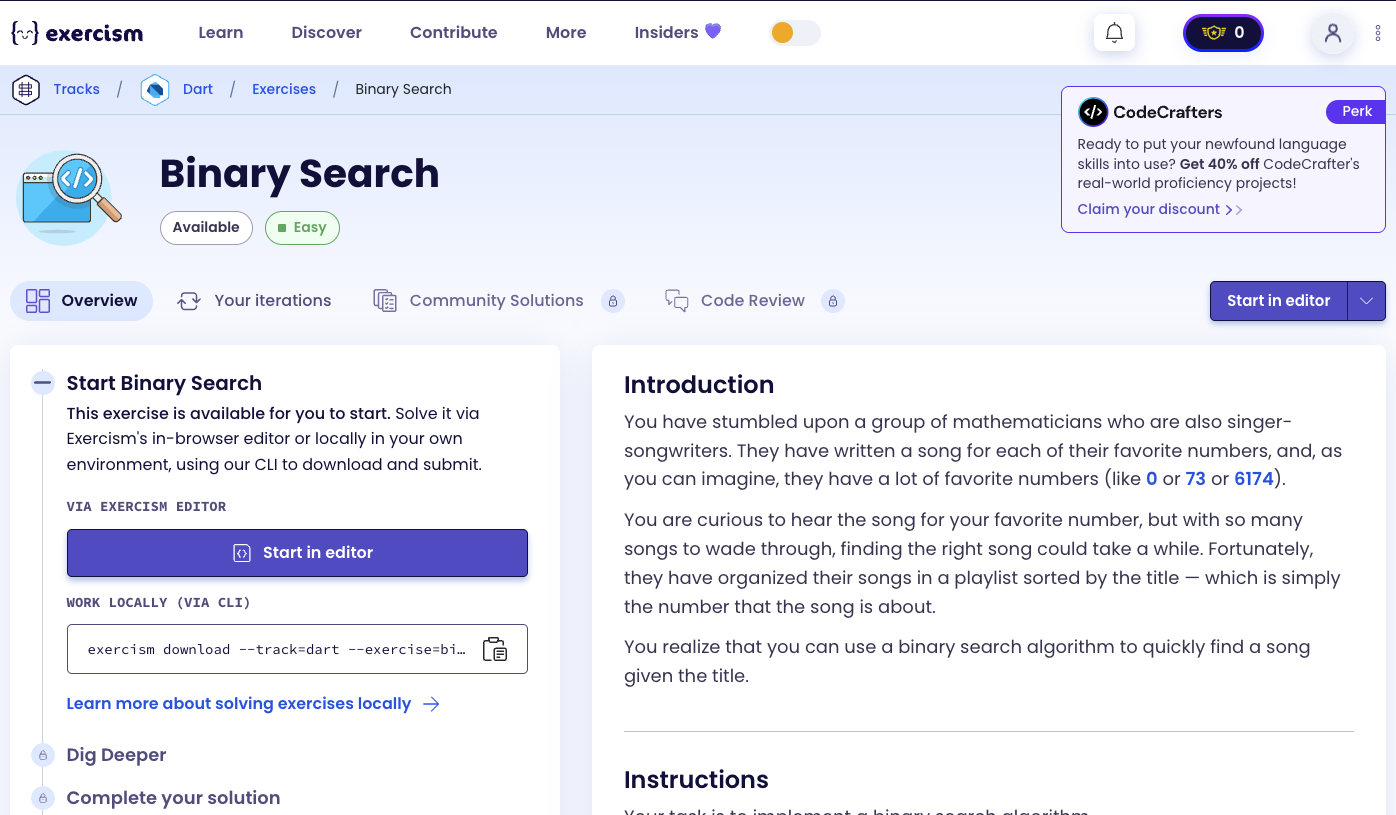
You have stumbled upon a group of mathematicians who are also singer-songwriters. They have written a song for each of their favorite numbers, and, as you can imagine, they have a lot of favorite numbers (like 0 or 73 or 6174).
You are curious to hear the song for your favorite number, but with so many songs to wade through, finding the right song could take a while. Fortunately, they have organized their songs in a playlist sorted by the title — which is simply the number that the song is about.
You realize that you can use a binary search algorithm to quickly find a song given the title.
Instructions
Your task is to implement a binary search algorithm.
A binary search algorithm finds an item in a list by repeatedly splitting it in half, only keeping the half which contains the item we’re looking for. It allows us to quickly narrow down the possible locations of our item until we find it, or until we’ve eliminated all possible locations.
Caution
Binary search only works when a list has been sorted.
The Algorithm
The algorithm looks like this:
- Find the middle element of a sorted list and compare it with the item we’re looking for.
- If the middle element is our item, then we’re done!
- If the middle element is greater than our item, we can eliminate that element and all the elements after it.
- If the middle element is less than our item, we can eliminate that element and all the elements before it.
- If every element of the list has been eliminated then the item is not in the list.
- Otherwise, repeat the process on the part of the list that has not been eliminated.
Example
Let’s say we’re looking for the number 23 in the following sorted list: [4, 8, 12, 16, 23, 28, 32].
Step 1: We start by comparing 23 with the middle element, 16.
- Since 23 is greater than 16, we can eliminate the left half of the list, leaving us with
[23, 28, 32].
Step 2: We then compare 23 with the new middle element, 28.
- Since 23 is less than 28, we can eliminate the right half of the list:
[23].
Step 3: We’ve found our item at the remaining position!
How does binary search work?
Binary search is a divide-and-conquer algorithm that works on sorted lists:
- Initialize boundaries: Set
left = 0andright = list.length - 1 - Calculate middle: Find the middle index:
middle = left + (right - left) ~/ 2 - Compare: Compare
list[middle]with the target value:- If equal → Found! Return the index
- If
list[middle] < target→ Search right half:left = middle + 1 - If
list[middle] > target→ Search left half:right = middle - 1
- Repeat: Continue until
left > right(value not found) or value is found - Handle not found: If loop ends without finding, throw an exception
The key insight is that each comparison eliminates half of the remaining search space, making it very efficient (O(log n) time complexity).
Solution
import 'value_not_found_exception.dart';

class BinarySearch {
  final List<int> list;

  BinarySearch(this.list);

  int find(int value) {
    var left = 0;
    var right = list.length - 1;

    while (left <= right) {
      final middle = left + (right - left) ~/ 2;
      final middleValue = list[middle];

      if (middleValue == value) {
        return middle;
      } else if (middleValue < value) {
        left = middle + 1;
      } else {
        right = middle - 1;
      }
    }

    throw ValueNotFoundException('Value $value not found in list');
  }
}
Let’s break down the solution:
-
import 'value_not_found_exception.dart'- Import custom exception:- Imports the
ValueNotFoundExceptionclass - Used when the value is not found in the list
- Imports the
-
class BinarySearch- Binary search class:- Encapsulates the binary search algorithm
- Stores the sorted list to search
-
final List<int> list- Sorted list field:- Stores the sorted list of integers
- Must be sorted for binary search to work correctly
finalmeans it cannot be reassigned after initialization
-
BinarySearch(this.list)- Constructor:- Initializes the list field
- Takes the sorted list as a parameter
-
int find(int value)- Search method:- Takes the value to search for
- Returns the index where the value is found
- Throws
ValueNotFoundExceptionif not found
-
var left = 0- Left boundary:- Starting index of the search range
- Initially set to the first index (0)
-
var right = list.length - 1- Right boundary:- Ending index of the search range
- Initially set to the last index
-
while (left <= right)- Search loop:- Continues while there are elements to search
- When
left > right, the search space is exhausted
-
final middle = left + (right - left) ~/ 2- Calculate middle index:- Uses
left + (right - left) ~/ 2to avoid integer overflow - Equivalent to
(left + right) ~/ 2but safer for large numbers - Integer division (
~/) ensures we get an integer index
- Uses
-
final middleValue = list[middle]- Get middle value:- Retrieves the value at the middle index
- Used for comparison with the target value
-
if (middleValue == value)- Found case:- If the middle value equals the target, we found it!
- Return the middle index immediately
-
else if (middleValue < value)- Search right half:- If middle value is less than target, the target must be in the right half
- Eliminate left half:
left = middle + 1 - Continue searching in the right portion
-
else- Search left half:- If middle value is greater than target, the target must be in the left half
- Eliminate right half:
right = middle - 1 - Continue searching in the left portion
-
throw ValueNotFoundException(...)- Not found case:- If the loop ends without finding the value, it’s not in the list
- Throws a custom exception with a descriptive message
The solution efficiently finds values in sorted lists using the binary search algorithm, which has O(log n) time complexity - much faster than linear search for large lists!
A video tutorial for this exercise is coming soon! In the meantime, check out my YouTube channel for more Dart and Flutter tutorials. 😉
Visit My YouTube Channel