Exercism - Circular Buffer
This post shows you how to get Circular Buffer exercise of Exercism.

Preparation
Before we click on our next exercise, let’s see what concepts of DART we need to consider
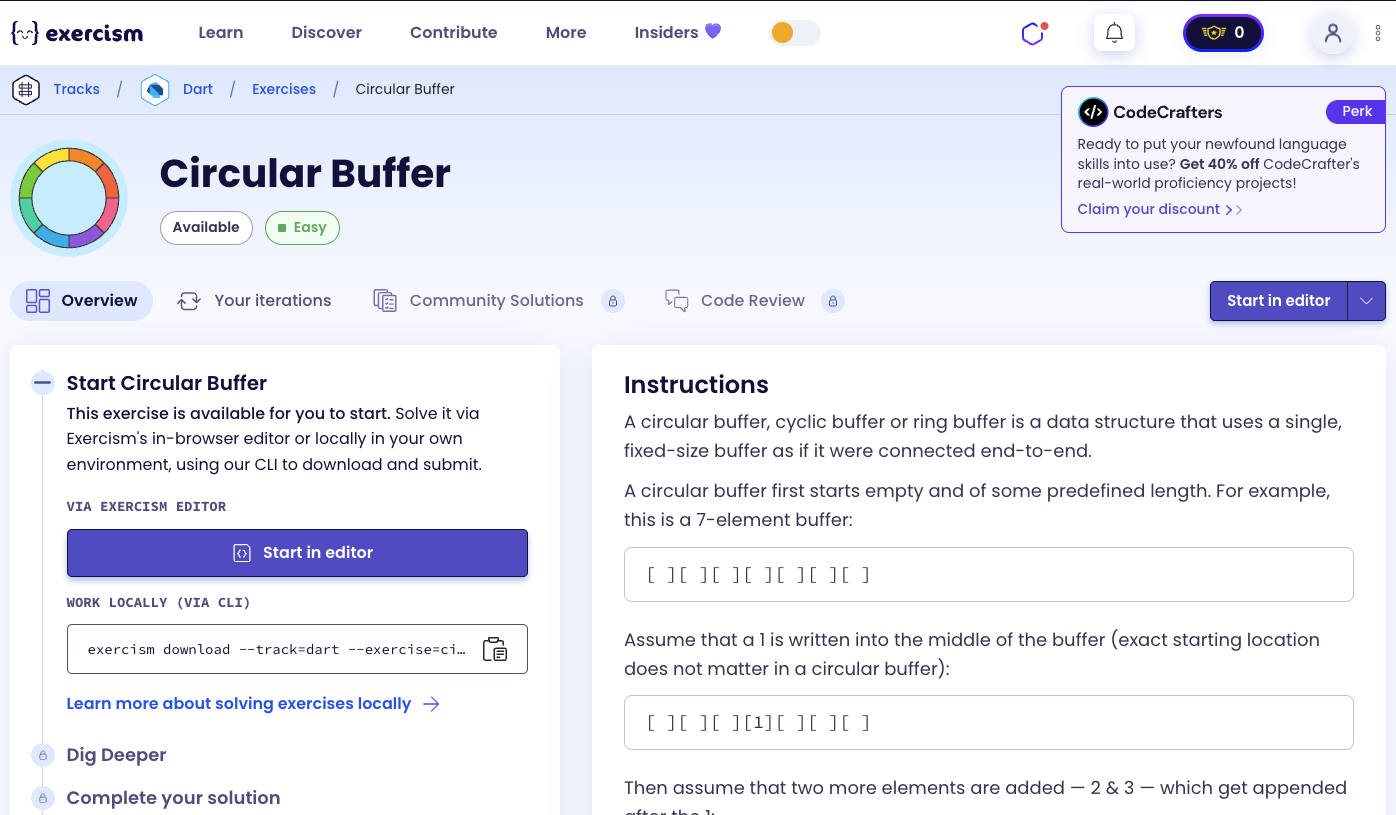
So we need to use the following concepts.
Custom Exceptions
Custom exceptions allow you to create specific error types for your application. They implement the Exception interface and can be thrown when specific error conditions occur.
class EmptyBufferException implements Exception {}
class FullBufferException implements Exception {}

void main() {
  // Throw custom exceptions
  if (buffer.isEmpty) {
    throw EmptyBufferException();
  }

  if (buffer.isFull) {
    throw FullBufferException();
  }

  // Catch and handle
  try {
    buffer.read();
  } on EmptyBufferException {
    print('Buffer is empty');
  } on FullBufferException {
    print('Buffer is full');
  }
}
Generic Classes
Generic classes allow you to write code that works with different types. The <T> syntax creates a type parameter that can be replaced with any type.
class CircularBuffer<T> {
  final List<T?> buffer;

  CircularBuffer(int capacity) : buffer = List.filled(capacity, null);

  void write(T value) {
    // Write logic
  }

  T read() {
    // Read logic
    return buffer[0] as T;
  }
}

void main() {
  // Works with integers
  CircularBuffer<int> intBuffer = CircularBuffer<int>(5);
  intBuffer.write(42);

  // Works with strings
  CircularBuffer<String> stringBuffer = CircularBuffer<String>(5);
  stringBuffer.write('hello');
}
Nullable Types (T?)
Nullable types allow variables to hold either a value or null. The ? suffix indicates that a type is nullable. This is useful for buffers where slots can be empty.
void main() {
  // Nullable list - elements can be null
  List<int?> buffer = List.filled(5, null);

  // Assign values
  buffer[0] = 1;
  buffer[1] = 2;
  buffer[2] = null; // Empty slot

  // Check if null
  if (buffer[2] == null) {
    print('Slot is empty');
  }

  // Cast to non-nullable when reading
  int value = buffer[0] as int; // Safe cast (we know it's not null)
}
List filled() Constructor
The List.filled() constructor creates a list with a specified length and initial value. It’s perfect for creating fixed-size buffers.
void main() {
  // Create list with 5 null elements
  List<int?> buffer = List.filled(5, null);
  print(buffer); // [null, null, null, null, null]

  // Create list with 5 zeros
  List<int> numbers = List.filled(5, 0);
  print(numbers); // [0, 0, 0, 0, 0]

  // Use in constructor
  class CircularBuffer<T> {
    final List<T?> buffer;
    CircularBuffer(int capacity) : buffer = List.filled(capacity, null);
  }
}
Modulo Operator (%)
The modulo operator (%) returns the remainder after division. It’s essential for circular indexing, allowing indices to wrap around when they reach the buffer capacity.
void main() {
  int capacity = 5;
  int index = 7;

  // Wrap around using modulo
  int wrapped = index % capacity;
  print(wrapped); // 2 (7 % 5 = 2)

  // Circular indexing
  int current = 4;
  int next = (current + 1) % capacity;
  print(next); // 0 (wraps around)

  // Use in circular buffer
  int writePos = 0;
  writePos = (writePos + 1) % capacity; // Move to next position, wrap if needed
}
Named Parameters with Default Values
Named parameters allow you to specify arguments by name. They can have default values, making them optional.
void main() {
  void write(int value, {bool force = false}) {
    if (isFull && !force) {
      throw FullBufferException();
    }
    // Write logic
  }

  // Call without named parameter (uses default)
  write(42); // force defaults to false

  // Call with named parameter
  write(42, force: true); // Override default
}
Type Casting (as T)
Type casting with as T tells Dart to treat a value as a specific type. It’s necessary when reading from nullable buffers.
void main() {
  List<int?> buffer = [1, 2, null, 4];

  // Cast nullable to non-nullable
  int value = buffer[0] as int; // Safe cast (we know it's not null)
  print(value); // 1

  // Use in generic context
  T read<T>(List<T?> buffer, int index) {
    return buffer[index] as T; // Cast to T
  }
}
Multiple Assignment
Multiple assignment allows you to assign the same value to multiple variables in a single statement. It’s useful for resetting multiple fields.
void main() {
  int a, b, c;

  // Multiple assignment
  a = b = c = 0;
  print(a); // 0
  print(b); // 0
  print(c); // 0

  // Use in methods
  void clear() {
    _readPos = _writePos = _count = 0;
  }
}
Private Fields
Private fields start with an underscore (_). They can only be accessed within the same library, providing encapsulation.
class CircularBuffer<T> {
  final int capacity; // Public field
  final List<T?> _buffer; // Private field
  int _readPos = 0; // Private field
  int _writePos = 0; // Private field
  int _count = 0; // Private field

  // Private fields can only be accessed within this class
  void _internalMethod() {
    _readPos = 0; // OK - same class
  }
}

void main() {
  CircularBuffer<int> buffer = CircularBuffer<int>(5);
  // buffer._readPos = 0; // Error - private field
}
Expression-Bodied Methods
Expression-bodied methods use => to return a value directly. They’re perfect for concise methods.
class CircularBuffer<T> {
  void clear() => _readPos = _writePos = _count = 0;
}

// Equivalent to:
void clear() {
  _readPos = _writePos = _count = 0;
}
Circular Buffer Concepts
A circular buffer (ring buffer) is a fixed-size buffer that wraps around. It uses two pointers:
- Read pointer (
_r): Points to the oldest element (next to read) - Write pointer (
_w): Points to the next empty slot (where to write) - Count (
_n): Number of elements currently in buffer
When pointers reach the end, they wrap around using modulo arithmetic.
Introduction
A circular buffer, cyclic buffer or ring buffer is a data structure that uses a single, fixed-size buffer as if it were connected end-to-end.
A circular buffer first starts empty and of some predefined length. For example, this is a 7-element buffer:
[ ][ ][ ][ ][ ][ ][ ]Example Operations
Step 1: Assume that a 1 is written into the middle of the buffer (exact starting location does not matter in a circular buffer):
[ ][ ][ ][1][ ][ ][ ]Step 2: Then assume that two more elements are added — 2 & 3 — which get appended after the 1:
[ ][ ][ ][1][2][3][ ]Step 3: If two elements are then removed from the buffer, the oldest values inside the buffer are removed. The two elements removed, in this case, are 1 & 2, leaving the buffer with just a 3:
[ ][ ][ ][ ][ ][3][ ]Step 4: If the buffer has 7 elements then it is completely full:
[5][6][7][8][9][3][4]When the buffer is full an error will be raised, alerting the client that further writes are blocked until a slot becomes free.
Step 5: When the buffer is full, the client can opt to overwrite the oldest data with a forced write. In this case, two more elements — A & B — are added and they overwrite the 3 & 4:
[5][6][7][8][9][A][B]3 & 4 have been replaced by A & B making 5 now the oldest data in the buffer.
Step 6: Finally, if two elements are removed then what would be returned is 5 & 6 yielding the buffer:
[ ][ ][7][8][9][A][B]Because there is space available, if the client again uses overwrite to store C & D then the space where 5 & 6 were stored previously will be used not the location of 7 & 8. 7 is still the oldest element and the buffer is once again full.
[C][D][7][8][9][A][B]Instructions
Your task is to implement a circular buffer with the following operations:
- write(value, force): Write a value to the buffer. If full and
force=false, throwFullBufferException. Ifforce=true, overwrite oldest element. - read(): Read and remove the oldest element. If empty, throw
EmptyBufferException. - clear(): Clear the buffer, resetting all pointers.
How does a circular buffer work?
A circular buffer uses:
- Fixed-size array: Pre-allocated buffer of fixed capacity
- Read pointer (
_r): Index of oldest element (next to read) - Write pointer (
_w): Index of next empty slot (where to write) - Count (
_n): Number of elements currently in buffer
Write operation:
- If buffer is full and
force=false: throw exception - If buffer is full and
force=true: advance read pointer (overwrite oldest) - Write value at write pointer
- Advance write pointer (wrap with modulo)
- Increment count (if not forcing)
Read operation:
- If buffer is empty: throw exception
- Read value at read pointer
- Advance read pointer (wrap with modulo)
- Decrement count
- Return value
Circular wrapping: When pointers reach capacity, they wrap to 0 using modulo: (index + 1) % capacity
Solution
class EmptyBufferException implements Exception {}

class FullBufferException implements Exception {}

class CircularBuffer<T> {
  final int capacity;
  final List<T?> _buf;
  int _r = 0, _w = 0, _n = 0;

  CircularBuffer(this.capacity) : _buf = List.filled(capacity, null);

  void write(T v, {bool force = false}) {
    if (_n == capacity) {
      if (!force) throw FullBufferException();
      _r = (_r + 1) % capacity;
    } else {
      _n++;
    }
    _buf[_w] = v;
    _w = (_w + 1) % capacity;
  }

  T read() {
    if (_n == 0) throw EmptyBufferException();
    final v = _buf[_r] as T;
    _r = (_r + 1) % capacity;
    _n--;
    return v;
  }

  void clear() => _r = _w = _n = 0;
}
Let’s break down the solution:
-
class EmptyBufferException implements Exception {}- Empty buffer exception:- Custom exception for when trying to read from empty buffer
- Implements
Exceptioninterface - No additional data needed
-
class FullBufferException implements Exception {}- Full buffer exception:- Custom exception for when trying to write to full buffer (without force)
- Implements
Exceptioninterface - No additional data needed
-
class CircularBuffer<T>- Generic buffer class:- Generic class that works with any type
T - Encapsulates circular buffer logic
- Generic class that works with any type
-
final int capacity- Buffer capacity:- Fixed size of the buffer
- Cannot be changed after creation
-
final List<T?> _buf- Buffer storage:- Nullable list to store elements
- Elements can be
nullwhen slot is empty - Private field (starts with
_)
-
int _r = 0, _w = 0, _n = 0- Buffer state:_r: Read pointer (index of oldest element)_w: Write pointer (index of next empty slot)_n: Count (number of elements in buffer)- All initialized to 0 (empty buffer)
-
CircularBuffer(this.capacity) : _buf = List.filled(capacity, null)- Constructor:- Initializes capacity field
- Creates fixed-size list filled with
null - Initializer list sets
_bufbefore constructor body runs
-
void write(T v, {bool force = false})- Write method:- Takes value to write and optional
forceparameter forcedefaults tofalse- Named parameter (can be called as
write(value, force: true))
- Takes value to write and optional
-
if (_n == capacity)- Check if full:- Buffer is full when count equals capacity
- All slots are occupied
-
if (!force) throw FullBufferException()- Handle full buffer:- If not forcing, throw exception
- Prevents overwriting data unintentionally
-
_r = (_r + 1) % capacity- Advance read pointer (force mode):- When forcing, overwrite oldest element
- Advance read pointer to next element
- Modulo wraps around if at end
-
else { _n++; }- Increment count (normal write):- If buffer not full, increment count
- New element added to buffer
-
_buf[_w] = v- Write value:- Store value at write pointer
- Overwrites
nullor existing value (if forcing)
-
_w = (_w + 1) % capacity- Advance write pointer:- Move to next slot for future writes
- Modulo wraps around when reaching capacity
- Example: capacity=5, _w=4 → (4+1)%5 = 0
-
T read()- Read method:- Returns and removes oldest element
- Generic return type
T
-
if (_n == 0) throw EmptyBufferException()- Check if empty:- Buffer is empty when count is 0
- Cannot read from empty buffer
-
final v = _buf[_r] as T- Read value:- Get value at read pointer
- Cast from
T?toT(safe because we know it’s not null) - Store in local variable
-
_r = (_r + 1) % capacity- Advance read pointer:- Move to next element (oldest remaining)
- Modulo wraps around if at end
-
_n--- Decrement count:- One less element in buffer
- Slot becomes available for writing
-
return v- Return value:- Return the read element
-
void clear() => _r = _w = _n = 0- Clear method:- Expression-bodied method
- Resets all pointers and count to 0
- Multiple assignment sets all to 0
- Buffer is now empty
The solution efficiently implements a circular buffer using modulo arithmetic for wrapping, maintaining read/write pointers and a count to track buffer state. The generic design works with any type, and custom exceptions provide clear error handling.
A video tutorial for this exercise is coming soon! In the meantime, check out my YouTube channel for more Dart and Flutter tutorials. 😉
Visit My YouTube Channel