Exercism - ETL
This post shows you how to get ETL exercise of Exercism.

Preparation
Before we click on our next exercise, let’s see what concepts of DART we need to consider
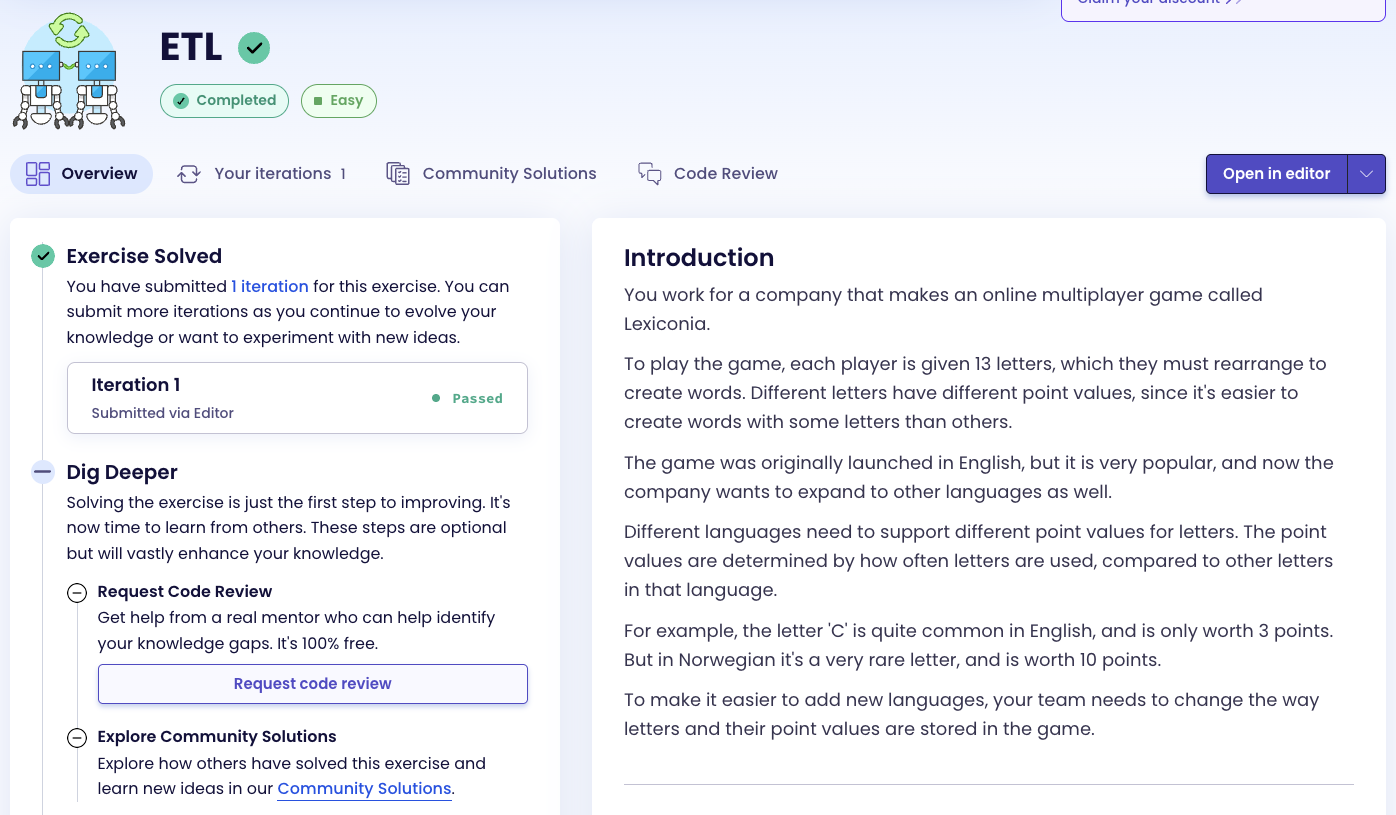
So we need to use the following concepts.
Maps
A Map is a collection of key-value pairs. Each key in a map is unique, and you can use keys to look up their corresponding values. Maps can store any type of data as keys and values.
void main() {
  // Map with String keys and int values
  Map<String, int> scores = {
    'a': 1,
    'b': 3,
    'c': 3,
  };

  // Accessing values
  print(scores['a']); // 1

  // Setting values
  scores['d'] = 2;
  print(scores); // {a: 1, b: 3, c: 3, d: 2}

  // Map with int keys and List values
  Map<int, List<String>> groups = {
    1: ['a', 'e', 'i'],
    2: ['d', 'g'],
  };

  print(groups[1]); // [a, e, i]
}
Map Entries and Iteration
You can iterate over a map using entries, which gives you access to both keys and values. Each entry has a key and a value property.
void main() {
  Map<int, List<String>> legacy = {
    1: ['A', 'E', 'I'],
    2: ['D', 'G'],
    3: ['B', 'C'],
  };

  // Iterate over entries
  for (final entry in legacy.entries) {
    print('Points: ${entry.key}, Letters: ${entry.value}');
  }

  // Access key and value separately
  for (final entry in legacy.entries) {
    int points = entry.key;
    List<String> letters = entry.value;
    print('$points points: $letters');
  }
}
Lists
Lists are ordered collections of items. You can iterate over lists, access elements by index, and perform various operations on them.
void main() {
  List<String> letters = ['A', 'B', 'C'];

  // Iterate over list
  for (final letter in letters) {
    print(letter);
  }

  // Access by index
  print(letters[0]); // A

  // Add elements
  letters.add('D');
  print(letters); // [A, B, C, D]
}
String Methods
Strings in Dart have many useful methods. The toLowerCase() method converts all characters to lowercase.
void main() {
  String letter = "A";
  String lower = letter.toLowerCase();

  print(lower); // "a"

  // Convert list of uppercase letters to lowercase
  List<String> upper = ['A', 'B', 'C'];
  List<String> lowerList = upper.map((l) => l.toLowerCase()).toList();
  print(lowerList); // [a, b, c]
}
Map Operations
You can create new maps, add entries, and transform existing maps. Maps can be sorted by creating a new map with sorted keys.
void main() {
  Map<String, int> unsorted = {
    'z': 10,
    'a': 1,
    'm': 3,
  };

  // Get sorted keys
  List<String> sortedKeys = unsorted.keys.toList()..sort();
  print(sortedKeys); // [a, m, z]

  // Create new sorted map
  Map<String, int> sorted = {};
  for (final key in sortedKeys) {
    sorted[key] = unsorted[key]!;
  }
  print(sorted); // {a: 1, m: 3, z: 10}
}
Type Parsing
The int.parse() method converts a string to an integer. This is useful when keys are stored as strings but need to be used as numbers.
void main() {
  String numberStr = "5";
  int number = int.parse(numberStr);

  print(number); // 5
  print(number + 1); // 6

  // When map keys are strings representing numbers
  Map<String, List<String>> data = {
    "1": ['a', 'b'],
    "2": ['c', 'd'],
  };

  for (final entry in data.entries) {
    int points = int.parse(entry.key);
    print('$points points');
  }
}
Introduction
You work for a company that makes an online multiplayer game called Lexiconia.
To play the game, each player is given 13 letters, which they must rearrange to create words. Different letters have different point values, since it’s easier to create words with some letters than others.
The game was originally launched in English, but it is very popular, and now the company wants to expand to other languages as well.
Different languages need to support different point values for letters. The point values are determined by how often letters are used, compared to other letters in that language.
For example, the letter ‘C’ is quite common in English, and is only worth 3 points. But in Norwegian it’s a very rare letter, and is worth 10 points.
To make it easier to add new languages, your team needs to change the way letters and their point values are stored in the game.
Instructions
Your task is to change the data format of letters and their point values in the game.
Currently, letters are stored in groups based on their score, in a one-to-many mapping:
- 1 point: “A”, “E”, “I”, “O”, “U”, “L”, “N”, “R”, “S”, “T”
- 2 points: “D”, “G”
- 3 points: “B”, “C”, “M”, “P”
- 4 points: “F”, “H”, “V”, “W”, “Y”
- 5 points: “K”
- 8 points: “J”, “X”
- 10 points: “Q”, “Z”
This needs to be changed to store each individual letter with its score in a one-to-one mapping:
- “a” is worth 1 point
- “b” is worth 3 points
- “c” is worth 3 points
- “d” is worth 2 points
- etc.
As part of this change, the team has also decided to change the letters to be lower-case rather than upper-case.
What is ETL?
ETL stands for Extract, Transform, Load. It’s a data integration process that combines data from multiple sources into a single, consistent data store. In this exercise, we’re performing a transformation step: converting data from one format (one-to-many mapping) to another format (one-to-one mapping).
— Data Engineering
How does the transformation work?
To transform the data from the legacy format to the new format:
- Iterate over each entry in the legacy map (points → list of letters)
- Extract the point value from the key
- For each letter in the list, create a new entry in the result map
- Convert each letter to lowercase
- Map the lowercase letter to its point value
- Optionally, sort the result by letter for consistency
For example, transforming the legacy format:
- Input:
{1: ["A", "E"], 2: ["D"]} - Process:
- Points 1: “A” → “a”: 1, “E” → “e”: 1
- Points 2: “D” → “d”: 2
- Output:
{"a": 1, "e": 1, "d": 2}
Solution
class Etl {
  Map<String, int> transform(Map<String, List<String>> legacy) {
    final result = <String, int>{};

    // Flatten the legacy map
    for (final entry in legacy.entries) {
      final points = int.parse(entry.key);
      final letters = entry.value;

      for (final letter in letters) {
        result[letter.toLowerCase()] = points;
      }
    }

    // Sort by keys and create a new map
    final sortedKeys = result.keys.toList()..sort();
    final sortedResult = <String, int>{};
    for (final key in sortedKeys) {
      sortedResult[key] = result[key]!;
    }

    return sortedResult;
  }
}
Let’s break down the solution:
final result = <String, int>{}- Creates an empty map to store the transformed data (letter → points)for (final entry in legacy.entries)- Iterates over each entry in the legacy map:- Each entry has a
key(the point value as a string) and avalue(the list of letters)
- Each entry has a
final points = int.parse(entry.key)- Converts the string key (e.g., “1”) to an integer (1)final letters = entry.value- Gets the list of letters for this point valuefor (final letter in letters)- Iterates over each letter in the listresult[letter.toLowerCase()] = points- Creates a new entry in the result map:- Converts the letter to lowercase
- Maps it to its point value
final sortedKeys = result.keys.toList()..sort()- Gets all keys, converts to a list, and sorts them alphabeticallyfinal sortedResult = <String, int>{}- Creates a new map for the sorted resultfor (final key in sortedKeys)- Iterates over sorted keys and adds them to the new map in orderreturn sortedResult- Returns the transformed and sorted map
The solution flattens the one-to-many relationship (points → letters) into a one-to-one relationship (letter → points), converts all letters to lowercase, and returns a sorted map for consistency.
A video tutorial for this exercise is coming soon! In the meantime, check out my YouTube channel for more Dart and Flutter tutorials. 😉
Visit My YouTube Channel