Exercism - ISBN Verifier
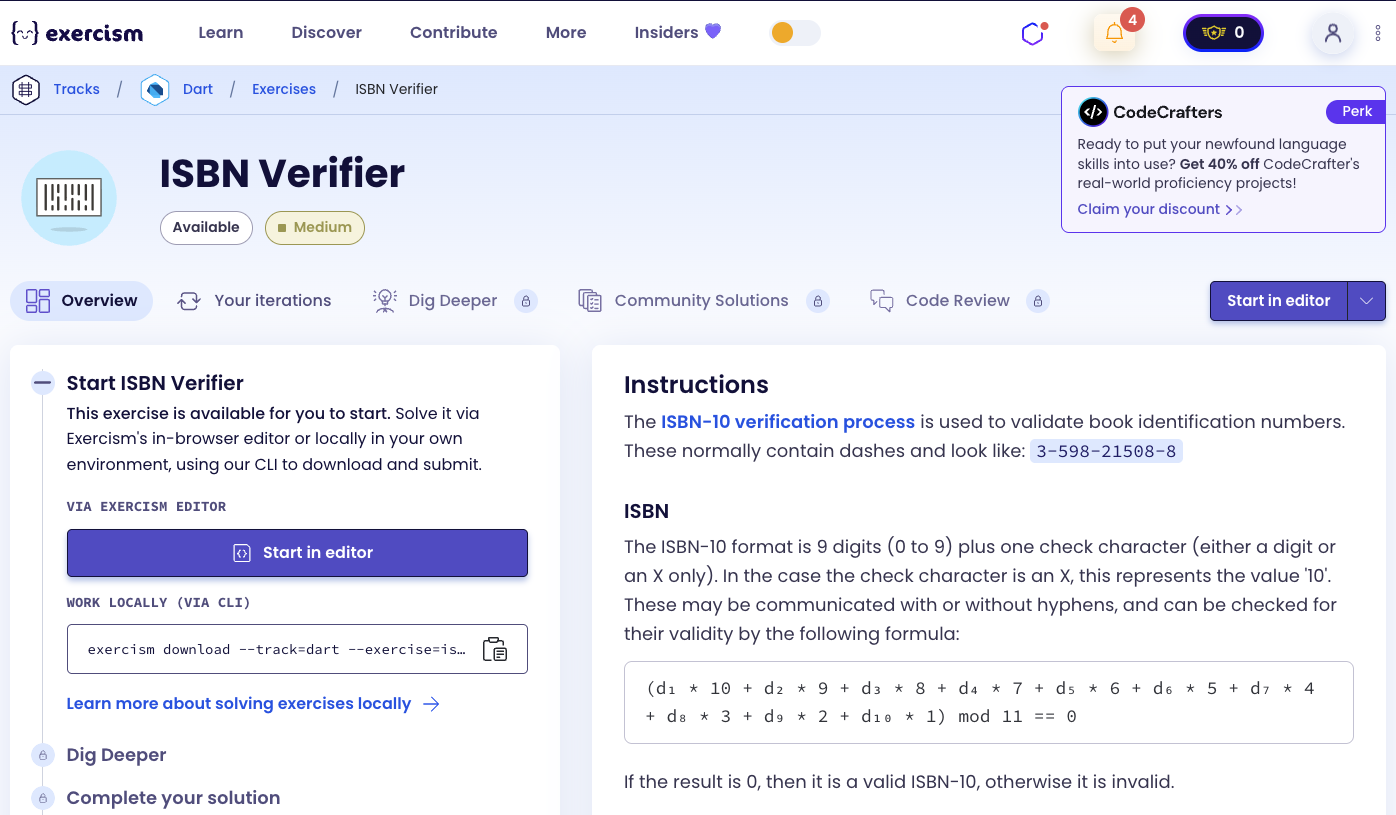
This post shows you how to get ISBN Verifier exercise of Exercism.

Preparation
Before we click on our next exercise, let’s see what concepts of DART we need to consider
So we need to use the following concepts.
String ReplaceAll Method
The replaceAll() method replaces all occurrences of a pattern in a string with another string. It’s useful for removing or replacing characters.
void main() {
  String isbn = "3-598-21508-8";

  // Remove all dashes
  String cleaned = isbn.replaceAll('-', '');
  print(cleaned); // "3598215088"

  // Replace characters
  String text = "hello world";
  String replaced = text.replaceAll(' ', '-');
  print(replaced); // "hello-world"
}
String Length Property
The length property returns the number of characters in a string. It’s useful for validation.
void main() {
  String isbn = "3598215088";

  // Check length
  print(isbn.length); // 10

  // Validate length
  if (isbn.length != 10) {
    print('Invalid length');
  }
}
Regular Expressions (RegExp)
Regular expressions allow you to match patterns in strings. The hasMatch() method checks if a string matches a pattern.
void main() {
  // Pattern: 9 digits followed by a digit or X
  RegExp pattern = RegExp(r'^\d{9}[\dX]$');

  // Valid ISBN patterns
  print(pattern.hasMatch('3598215088')); // true
  print(pattern.hasMatch('359821507X')); // true
  print(pattern.hasMatch('359821508')); // false (too short)
  print(pattern.hasMatch('35982150888')); // false (too long)
  print(pattern.hasMatch('359821508A')); // false (invalid character)

  // Pattern breakdown:
  // ^ - start of string
  // \d{9} - exactly 9 digits
  // [\dX] - one digit or X
  // $ - end of string
}
String Split Method
The split() method divides a string into a list of substrings. When called with an empty string '', it splits the string into individual characters.
void main() {
  String isbn = "3598215088";

  // Split into individual characters
  List<String> chars = isbn.split('');
  print(chars); // [3, 5, 9, 8, 2, 1, 5, 0, 8, 8]

  // Process each character
  for (var char in chars) {
    print(char);
  }
}
Fold Method
The fold() method reduces a collection to a single value by iteratively combining elements. It’s perfect for calculating sums with multipliers.
void main() {
  List<String> digits = ['3', '5', '9', '8'];
  int multiplier = 4;

  // Sum with decreasing multiplier
  int sum = digits.fold<int>(
    0,
    (total, char) {
      int value = int.parse(char);
      int result = total + value * multiplier;
      multiplier--; // Decrease multiplier
      return result;
    },
  );

  print(sum); // 3*4 + 5*3 + 9*2 + 8*1 = 12 + 15 + 18 + 8 = 53
}
Post-Decrement Operator
The post-decrement operator (--) decreases a variable by 1 after using its current value. It’s useful for decreasing multipliers in loops.
void main() {
  int multiplier = 10;

  // Post-decrement: use value, then decrease
  int current = multiplier--;
  print(current); // 10
  print(multiplier); // 9

  // In fold
  List<String> chars = ['3', '5', '9'];
  int mult = 3;
  int sum = chars.fold<int>(0, (total, char) =>
    total + int.parse(char) * mult--
  );
  // mult starts at 3, decreases: 3, 2, 1
  print(sum); // 3*3 + 5*2 + 9*1 = 9 + 10 + 9 = 28
}
Integer Parsing
The int.parse() method converts a string to an integer. It throws an exception if the string is not a valid integer.
void main() {
  // Parse digits
  int num1 = int.parse('5');
  print(num1); // 5

  // Handle X as 10
  String char = 'X';
  int value = char == 'X' ? 10 : int.parse(char);
  print(value); // 10

  // Conditional parsing
  String digit = '8';
  int val = digit == 'X' ? 10 : int.parse(digit);
  print(val); // 8
}
Modulo Operator
The modulo operator (%) returns the remainder of a division operation. It’s used to check if a number is divisible by another.
void main() {
  int sum = 330;

  // Check if divisible by 11
  int remainder = sum % 11;
  print(remainder); // 0 (330 is divisible by 11)

  // Validate ISBN
  bool isValid = sum % 11 == 0;
  print(isValid); // true
}
Conditional Logic
Conditional statements allow you to execute different code based on conditions. The ternary operator provides a concise way to write simple conditionals.
void main() {
  String char = 'X';

  // Ternary operator
  int value = char == 'X' ? 10 : int.parse(char);
  print(value); // 10

  // Multiple conditions
  String isbn = "3598215088";
  bool valid = isbn.length == 10 && RegExp(r'^\d{9}[\dX]$').hasMatch(isbn);
  print(valid); // true
}
Introduction
The ISBN-10 verification process is used to validate book identification numbers. These normally contain dashes and look like: 3-598-21508-8
ISBN
The ISBN-10 format is 9 digits (0 to 9) plus one check character (either a digit or an X only). In the case the check character is an X, this represents the value ‘10’. These may be communicated with or without hyphens, and can be checked for their validity by the following formula:
(d₁ × 10 + d₂ × 9 + d₃ × 8 + d₄ × 7 + d₅ × 6 + d₆ × 5 + d₇ × 4 + d₈ × 3 + d₉ × 2 + d₁₀ × 1) mod 11 == 0
If the result is 0, then it is a valid ISBN-10, otherwise it is invalid.
Example
Let’s take the ISBN-10 3-598-21508-8. We plug it in to the formula, and get:
(3 × 10 + 5 × 9 + 9 × 8 + 8 × 7 + 2 × 6 + 1 × 5 + 5 × 4 + 0 × 3 + 8 × 2 + 8 × 1) mod 11 == 0
Since the result is 0, this proves that our ISBN is valid.
Task
Given a string the program should check if the provided string is a valid ISBN-10. Putting this into place requires some thinking about preprocessing/parsing of the string prior to calculating the check digit for the ISBN.
The program should be able to verify ISBN-10 both with and without separating dashes.
Caveats
Converting from strings to numbers can be tricky in certain languages. Now, it’s even trickier since the check digit of an ISBN-10 may be ‘X’ (representing ‘10’). For instance 3-598-21507-X is a valid ISBN-10.
What is ISBN?
The International Standard Book Number (ISBN) is a numeric commercial book identifier which is intended to be unique. Publishers purchase ISBNs from an affiliate of the International ISBN Agency. An ISBN is assigned to each separate edition and variation (except reprintings) of a publication. For example, an e-book, a paperback and a hardback edition of the same book would each have a different ISBN.
— Wikipedia
How can we verify an ISBN-10?
To verify an ISBN-10:
- Remove dashes: Strip all hyphens from the input string
- Validate format: Check that the string has exactly 10 characters and matches the pattern (9 digits followed by a digit or X)
- Calculate weighted sum: For each character, multiply by a decreasing multiplier (10, 9, 8, …, 1)
- If the character is ‘X’, use 10
- Otherwise, parse the character as an integer
- Check validity: The sum modulo 11 must equal 0
For example, with “3-598-21508-8”:
- Remove dashes: “3598215088”
- Validate: 10 characters, matches pattern ✓
- Calculate: 3×10 + 5×9 + 9×8 + 8×7 + 2×6 + 1×5 + 5×4 + 0×3 + 8×2 + 8×1 = 330
- Check: 330 % 11 = 0 → Valid!
⚠️ Old Solution (No Longer Works)
Previously, the solution had issues with regex pattern matching and validation. Here’s what the old solution looked like:
bool isValid(String isbnString) {
  int i = 10;
  isbnString = isbnString.replaceAll('-', '');
  if (!isbnString.contains(RegExp(r'^\d{9}{\d|X}$'))) return false;
  return isbnString.split('').fold<int>(0, (pr, cu) => pr + i-- * (int.tryParse(cu) ?? 10)) % 11 == 0;
}
Why This Solution Doesn’t Work Anymore
The old solution has several issues:
-
Incorrect regex pattern: The pattern
r'^\d{9}{\d|X}$'is malformed. The{should be[for a character class. The correct pattern should ber'^\d{9}[\dX]$'to match 9 digits followed by either a digit or X. -
Using
contains()instead ofhasMatch(): Thecontains()method checks if a substring matches anywhere in the string, not if the entire string matches the pattern. This can lead to false positives. -
Missing length validation: The solution doesn’t explicitly check that the ISBN has exactly 10 characters after removing dashes, which could allow invalid inputs.
-
Using
int.tryParse()with null coalescing: While this works, it’s less explicit than checking for ‘X’ directly, making the code harder to understand.
The exercise now requires:
- Correct regex pattern using character class
[\dX]instead of{\d|X} - Using
hasMatch()to ensure the entire string matches the pattern - Explicit length validation for better error handling
- Clearer handling of the ‘X’ character as 10
Solution
bool isValid(String isbnString) {
  final isbn = isbnString.replaceAll('-', '');

  if (isbn.length != 10 || !RegExp(r'^\d{9}[\dX]$').hasMatch(isbn)) {
    return false;
  }

  int multiplier = 10;
  final sum = isbn.split('').fold<int>(
    0,
    (total, char) => total + (char == 'X' ? 10 : int.parse(char)) * multiplier--,
  );

  return sum % 11 == 0;
}
Let’s break down the solution:
-
final isbn = isbnString.replaceAll('-', '')- Removes all dashes from the input:- Converts “3-598-21508-8” to “3598215088”
- Uses
finalto indicate the cleaned string won’t be reassigned
-
if (isbn.length != 10 || !RegExp(r'^\d{9}[\dX]$').hasMatch(isbn))- Validates the format:- Length check: Ensures exactly 10 characters after removing dashes
- Pattern check: Uses regex
r'^\d{9}[\dX]$'to verify:^- Start of string\d{9}- Exactly 9 digits[\dX]- One digit or X (character class)$- End of string
hasMatch(): Checks if the entire string matches the pattern (not just contains it)- Returns
falseif validation fails
-
int multiplier = 10- Initializes the multiplier:- Starts at 10 and decreases for each character
- Used in the weighted sum calculation
-
isbn.split('').fold<int>(...)- Calculates the weighted sum:split(''): Converts string to list of charactersfold<int>(0, ...): Starts with 0 and accumulates the sum- For each character:
- If
char == 'X', use 10 - Otherwise, parse the character as an integer
- Multiply by the current
multipliervalue - Use post-decrement (
multiplier--) to decrease multiplier for next iteration
- If
-
return sum % 11 == 0- Checks validity:- If the sum modulo 11 equals 0, the ISBN is valid
- Returns
truefor valid ISBNs,falseotherwise
The solution correctly validates ISBN-10 format and calculates the weighted sum, handling the special case of ‘X’ representing 10.
You can watch this tutorial on YouTube. So don’t forget to like and subscribe. 😉
Watch on YouTube