Exercism - Kindergarten Garden
This post shows you how to get Kindergarten Garden exercise of Exercism.

Preparation
Before we click on our next exercise, let’s see what concepts of DART we need to consider
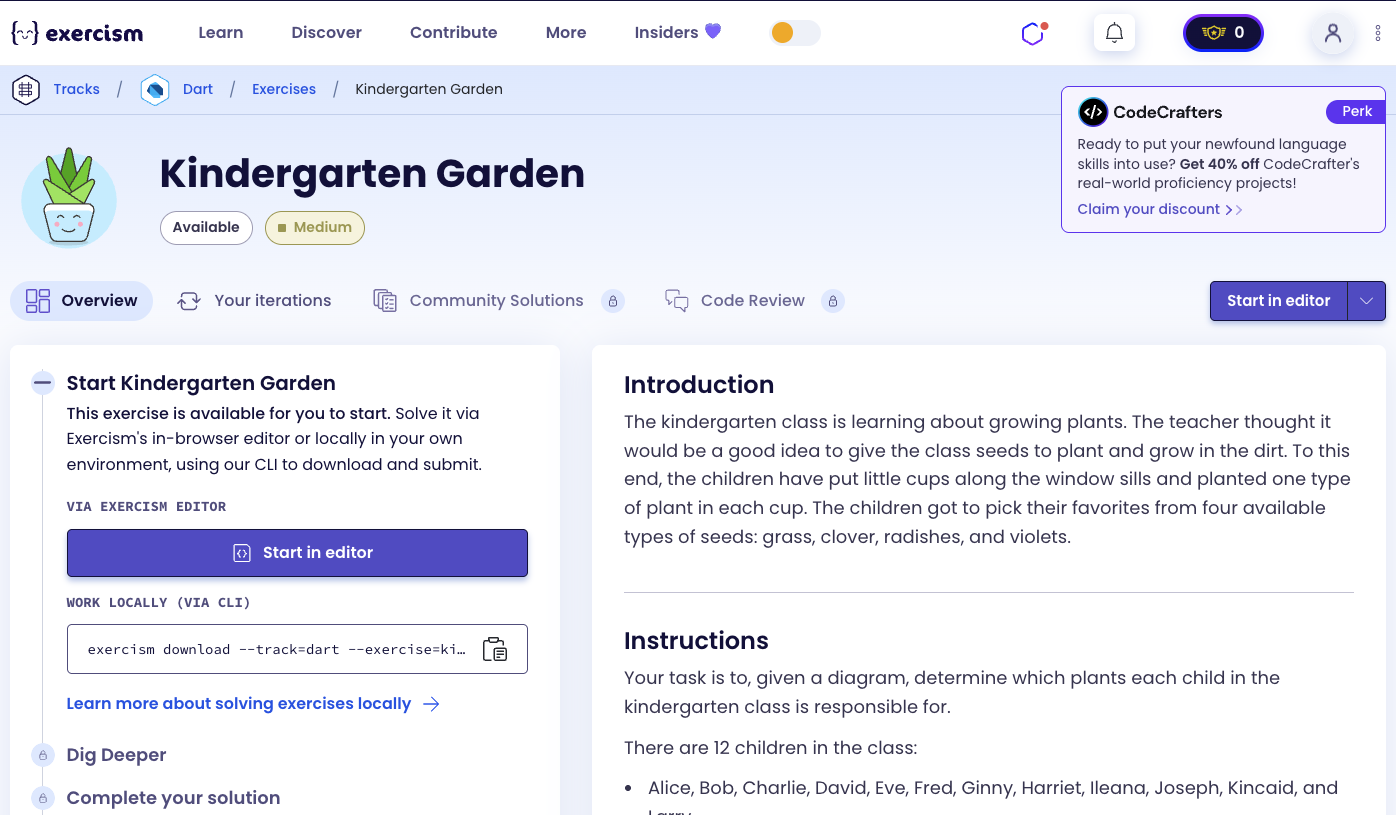
So we need to use the following concepts.
Enums
Enums define a set of named constants. They’re perfect for representing a fixed set of values like plants and students.
enum Plant {
  radishes,
  clover,
  violets,
  grass,
}

enum Student {
  Alice,
  Bob,
  Charlie,
  David,
  Eve,
  Fred,
  Ginny,
  Harriet,
  Ileana,
  Joseph,
  Kincaid,
  Larry,
}

void main() {
  Plant plant = Plant.grass;
  Student student = Student.Alice;
  print(plant); // Plant.grass
  print(student); // Student.Alice
}
Classes and Constructors
Classes define blueprints for objects. Constructors initialize instances with specific values. Initializer lists can be used to set fields before the constructor body runs.
class KindergartenGarden {
  final String _row1;
  final String _row2;

  // Constructor with initializer list
  KindergartenGarden(String diagram)
      : _row1 = diagram.split('\n')[0],
        _row2 = diagram.split('\n')[1];
}

void main() {
  String diagram = "VR\nRG";
  KindergartenGarden garden = KindergartenGarden(diagram);
  // _row1 = "VR", _row2 = "RG"
}
String split() Method
The split() method divides a string into a list of substrings. When called with '\n', it splits the string by newline characters.
void main() {
  String diagram = "VRCG\nVRCC";

  // Split by newline
  List<String> rows = diagram.split('\n');
  print(rows); // ["VRCG", "VRCC"]

  // Access rows
  String row1 = rows[0]; // "VRCG"
  String row2 = rows[1]; // "VRCC"

  // Use in constructor
  String row1 = diagram.split('\n')[0];
  String row2 = diagram.split('\n')[1];
}
Static Const Maps
Static const maps are class-level constants that can be accessed without creating an instance. They’re perfect for lookup tables like character-to-plant mappings.
class KindergartenGarden {
  // Static const map - shared by all instances
  static const _plantMap = {
    'G': Plant.grass,
    'C': Plant.clover,
    'R': Plant.radishes,
    'V': Plant.violets,
  };

  // Access without instance
  Plant getPlant(String code) {
    return _plantMap[code]!;
  }
}

void main() {
  // Access static const map
  Plant grass = KindergartenGarden._plantMap['G']!;
  print(grass); // Plant.grass
}
String Indexing
Strings can be accessed by index to get individual characters. The index starts at 0 for the first character.
void main() {
  String row = "VRCG";

  // Access by index
  char first = row[0]; // 'V'
  char second = row[1]; // 'R'
  char third = row[2]; // 'C'
  char fourth = row[3]; // 'G'

  // Use for extracting plants
  int col = 0;
  char plant1 = row[col]; // 'V'
  char plant2 = row[col + 1]; // 'R'
}
Enum values and indexOf()
Enum values can be accessed using .values, which returns a list of all enum values. The indexOf() method finds the index of a specific value in that list.
enum Student {
  Alice, Bob, Charlie, David;
}

void main() {
  // Get all enum values
  List<Student> allStudents = Student.values;
  print(allStudents); // [Student.Alice, Student.Bob, ...]

  // Find index of specific student
  int aliceIndex = Student.values.indexOf(Student.Alice);
  print(aliceIndex); // 0

  int bobIndex = Student.values.indexOf(Student.Bob);
  print(bobIndex); // 1

  // Use to calculate column
  Student student = Student.Alice;
  int col = Student.values.indexOf(student) * 2;
  print(col); // 0 (Alice gets columns 0-1)
}
List Literals
List literals allow you to create lists directly with square brackets. They’re perfect for building result lists.
void main() {
  // Create list with elements
  List<Plant> plants = [
    Plant.violets,
    Plant.radishes,
    Plant.violets,
    Plant.radishes,
  ];

  // Build list dynamically
  List<Plant> result = [
    _plantMap['V']!,
    _plantMap['R']!,
    _plantMap['V']!,
    _plantMap['R']!,
  ];

  // Use with calculations
  int col = 0;
  List<Plant> studentPlants = [
    _plantMap[row1[col]]!,
    _plantMap[row1[col + 1]]!,
    _plantMap[row2[col]]!,
    _plantMap[row2[col + 1]]!,
  ];
}
Null Assertion Operator (!)
The null assertion operator (!) tells Dart that a value won’t be null. It’s used when you’re certain a map lookup will succeed.
void main() {
  Map<String, Plant> plantMap = {
    'G': Plant.grass,
    'C': Plant.clover,
  };

  // Null assertion - we know 'G' exists
  Plant grass = plantMap['G']!;
  print(grass); // Plant.grass

  // Use in list building
  String code = 'V';
  List<Plant> plants = [
    plantMap[code]!, // Safe to use ! (we know code is valid)
  ];
}
Arithmetic Operations
Arithmetic operations like multiplication (*) and addition (+) are used to calculate column positions.
void main() {
  // Calculate column based on student index
  int studentIndex = 0; // Alice
  int col = studentIndex * 2; // 0 (Alice gets columns 0-1)

  int studentIndex2 = 1; // Bob
  int col2 = studentIndex2 * 2; // 2 (Bob gets columns 2-3)

  // Access adjacent columns
  char plant1 = row[col]; // First cup
  char plant2 = row[col + 1]; // Second cup
}
Initializer Lists
Initializer lists allow you to initialize fields before the constructor body runs. They’re perfect for parsing input data.
class KindergartenGarden {
  final String _row1;
  final String _row2;

  // Initializer list - runs before constructor body
  KindergartenGarden(String diagram)
      : _row1 = diagram.split('\n')[0],
        _row2 = diagram.split('\n')[1];
}

// Equivalent to:
KindergartenGarden(String diagram) {
  _row1 = diagram.split('\n')[0];
  _row2 = diagram.split('\n')[1];
}
Introduction
The kindergarten class is learning about growing plants. The teacher thought it would be a good idea to give the class seeds to plant and grow in the dirt. To this end, the children have put little cups along the window sills and planted one type of plant in each cup. The children got to pick their favorites from four available types of seeds: grass, clover, radishes, and violets.
Instructions
Your task is to, given a diagram, determine which plants each child in the kindergarten class is responsible for.
There are 12 children in the class:
Alice, Bob, Charlie, David, Eve, Fred, Ginny, Harriet, Ileana, Joseph, Kincaid, and Larry.
Four different types of seeds are planted:
| Plant | Diagram encoding |
|---|---|
| Grass | G |
| Clover | C |
| Radish | R |
| Violet | V |
Each child gets four cups, two on each row:
[window][window][window]
........................ # each dot represents a cup
........................
Their teacher assigns cups to the children alphabetically by their names, which means that Alice comes first and Larry comes last.
Example
Here is an example diagram representing Alice’s plants:
[window][window][window]
VR......................
RG......................
In the first row, nearest the windows, she has a violet and a radish. In the second row she has a radish and some grass.
Your program will be given the plants from left-to-right starting with the row nearest the windows. From this, it should be able to determine which plants belong to each student.
For example, if it’s told that the garden looks like so:
[window][window][window]
VRCGVVRVCGGCCGVRGCVCGCGV
VRCCCGCRRGVCGCRVVCVGCGCV
Then if asked for Alice’s plants, it should provide:
Violets, radishes, violets, radishes
While asking for Bob’s plants would yield:
Clover, grass, clover, clover
How do we determine which plants belong to each child?
To determine each child’s plants:
- Parse diagram: Split the diagram by newline to get two rows
- Calculate column: Each child gets 2 columns (2 cups per row)
- Alice (index 0) → columns 0-1
- Bob (index 1) → columns 2-3
- Charlie (index 2) → columns 4-5
- Formula:
column = studentIndex * 2
- Extract plants: For each child, get 4 plants:
- Row 1, column
col: first cup - Row 1, column
col + 1: second cup - Row 2, column
col: third cup - Row 2, column
col + 1: fourth cup
- Row 1, column
- Convert to enum: Use map to convert characters to Plant enum values
The key insight is that children are assigned alphabetically, so each child’s index in the Student enum corresponds to their column position (multiplied by 2, since each child gets 2 columns).
Solution
enum Plant {
  radishes,
  clover,
  violets,
  grass,
}

enum Student {
  Alice,
  Bob,
  Charlie,
  David,
  Eve,
  Fred,
  Ginny,
  Harriet,
  Ileana,
  Joseph,
  Kincaid,
  Larry,
}

class KindergartenGarden {
  final String _row1;
  final String _row2;

  static const _plantMap = {
    'G': Plant.grass,
    'C': Plant.clover,
    'R': Plant.radishes,
    'V': Plant.violets,
  };

  KindergartenGarden(String diagram)
      : _row1 = diagram.split('\n')[0],
        _row2 = diagram.split('\n')[1];

  List<Plant> plants(Student student) {
    final col = Student.values.indexOf(student) * 2;

    return [
      _plantMap[_row1[col]]!,
      _plantMap[_row1[col + 1]]!,
      _plantMap[_row2[col]]!,
      _plantMap[_row2[col + 1]]!,
    ];
  }
}
Let’s break down the solution:
-
enum Plant- Plant enum:- Defines the four plant types
- Values: radishes, clover, violets, grass
- Used to represent plants in the result
-
enum Student- Student enum:- Defines all 12 students in alphabetical order
- Order matches assignment order (Alice first, Larry last)
- Used to identify which student’s plants to retrieve
-
class KindergartenGarden- Main class:- Encapsulates the garden diagram
- Stores the two rows as private fields
- Contains plant lookup map and plants method
-
final String _row1andfinal String _row2- Row storage:- Private fields storing the two rows of the diagram
- Example: “VRCG” and “VRCC”
-
static const _plantMap = {...}- Plant lookup map:- Static const map shared by all instances
- Maps character codes to Plant enum values
- ‘G’ → Plant.grass, ‘C’ → Plant.clover, etc.
-
KindergartenGarden(String diagram)- Constructor:- Takes diagram string with two rows separated by newline
- Uses initializer list to parse rows
-
: _row1 = diagram.split('\n')[0]- Parse first row:- Splits diagram by newline
- Gets first element (row 1)
- Stores in
_row1field
-
: _row2 = diagram.split('\n')[1]- Parse second row:- Gets second element (row 2)
- Stores in
_row2field
-
List<Plant> plants(Student student)- Get student’s plants:- Takes a Student enum value
- Returns list of 4 Plant enum values
- Represents the student’s four cups
-
final col = Student.values.indexOf(student) * 2- Calculate column:- Gets student’s index in enum (0 for Alice, 1 for Bob, etc.)
- Multiplies by 2 (each student gets 2 columns)
- Example: Alice (index 0) → col = 0
- Example: Bob (index 1) → col = 2
-
return [...]- Build result list:- List literal with 4 elements
- Each element is a Plant enum value
- Order: row1[col], row1[col+1], row2[col], row2[col+1]
-
_plantMap[_row1[col]]!- First plant (row 1, first cup):- Accesses character at column
colin row 1 - Looks up in plant map
- Null assertion (
!) because we know the character is valid - Example: row1=“VRCG”, col=0 → ‘V’ → Plant.violets
- Accesses character at column
-
_plantMap[_row1[col + 1]]!- Second plant (row 1, second cup):- Accesses character at column
col + 1in row 1 - Example: row1=“VRCG”, col=0 → ‘R’ → Plant.radishes
- Accesses character at column
-
_plantMap[_row2[col]]!- Third plant (row 2, first cup):- Accesses character at column
colin row 2 - Example: row2=“VRCC”, col=0 → ‘V’ → Plant.violets
- Accesses character at column
-
_plantMap[_row2[col + 1]]!- Fourth plant (row 2, second cup):- Accesses character at column
col + 1in row 2 - Example: row2=“VRCC”, col=0 → ‘R’ → Plant.radishes
- Accesses character at column
The solution efficiently determines each child’s plants by calculating their column position based on their alphabetical index, then extracting the four characters (two from each row) that correspond to their cups. The static const map provides a clean way to convert character codes to Plant enum values.
A video tutorial for this exercise is coming soon! In the meantime, check out my YouTube channel for more Dart and Flutter tutorials. 😉
Visit My YouTube Channel