Exercism - Pangram
This post shows you how to get Pangram exercise of Exercism.

Preparation
Before we click on our next exercise, let’s see what concepts of DART we need to consider
So we need to use the following concepts.
String toLowerCase Method
The toLowerCase() method converts all characters in a string to lowercase. This is essential for case-insensitive pangram checking.
void main() {
  String sentence = "The Quick Brown Fox";

  // Convert to lowercase
  String lower = sentence.toLowerCase();
  print(lower); // "the quick brown fox"

  // Use for case-insensitive processing
  String processed = sentence.toLowerCase();
  // Now all characters are lowercase for comparison
}
String ReplaceAll with RegExp
The replaceAll() method can use regular expressions to remove or replace patterns. Negated character classes are useful for keeping only letters.
void main() {
  String sentence = "The quick brown fox jumps over the lazy dog.";

  // Remove all non-letter characters
  String lettersOnly = sentence.replaceAll(RegExp(r'[^a-z]'), '');
  print(lettersOnly); // "thequickbrownfoxjumpsoverthelazydog"

  // Pattern breakdown:
  // [^a-z] - negated character class: anything that is NOT a lowercase letter
  // This removes spaces, punctuation, numbers, etc.

  // After toLowerCase
  String lower = sentence.toLowerCase();
  String cleaned = lower.replaceAll(RegExp(r'[^a-z]'), '');
  print(cleaned); // "thequickbrownfoxjumpsoverthelazydog"
}
String Split Method
The split() method divides a string into a list of substrings. When called with an empty string '', it splits the string into individual characters.
void main() {
  String letters = "thequickbrownfox";

  // Split into individual characters
  List<String> chars = letters.split('');
  print(chars); // [t, h, e, q, u, i, c, k, b, r, o, w, n, f, o, x]

  // Split after cleaning
  String cleaned = "The quick brown fox!".toLowerCase().replaceAll(RegExp(r'[^a-z]'), '');
  List<String> chars2 = cleaned.split('');
  print(chars2); // [t, h, e, q, u, i, c, k, b, r, o, w, n, f, o, x]
}
Sets and ToSet Method
Sets are collections of unique elements. Converting a list to a set automatically removes duplicates. The toSet() method converts a list to a set.
void main() {
  List<String> chars = ['t', 'h', 'e', 'q', 'u', 'i', 'c', 'k', 'b', 'r', 'o', 'w', 'n', 'f', 'o', 'x'];

  // Convert to set (removes duplicates)
  Set<String> unique = chars.toSet();
  print(unique); // {t, h, e, q, u, i, c, k, b, r, o, w, n, f, o, x}
  print(unique.length); // 15 (duplicate 'o' removed)

  // Check if all 26 letters are present
  if (unique.length == 26) {
    print('Pangram!');
  } else {
    print('Not a pangram');
  }
}
List/Set Length Property
The length property returns the number of elements in a list or set. It’s used to check if all 26 letters are present.
void main() {
  Set<String> letters = {'a', 'b', 'c', 'd', 'e', 'f', 'g', 'h', 'i', 'j',
                         'k', 'l', 'm', 'n', 'o', 'p', 'q', 'r', 's', 't',
                         'u', 'v', 'w', 'x', 'y', 'z'};

  // Check length
  print(letters.length); // 26

  // Check if pangram
  bool isPangram = letters.length == 26;
  print(isPangram); // true

  // Missing letters
  Set<String> incomplete = {'a', 'b', 'c'};
  print(incomplete.length == 26); // false
}
Method Chaining
Method chaining allows you to call multiple methods in sequence. Each method operates on the result of the previous one, creating a pipeline of transformations.
void main() {
  String sentence = "The quick brown fox jumps over the lazy dog.";

  // Chain: lowercase → remove non-letters → split → toSet → check length
  Set<String> uniqueLetters = sentence
      .toLowerCase()                    // "the quick brown fox jumps over the lazy dog."
      .replaceAll(RegExp(r'[^a-z]'), '') // "thequickbrownfoxjumpsoverthelazydog"
      .split('')                         // [t, h, e, q, u, i, c, k, ...]
      .toSet();                          // {t, h, e, q, u, i, c, k, b, r, o, w, n, f, x, l, a, z, y, d, g, j, m, p, s, v}

  bool isPangram = uniqueLetters.length == 26;
  print(isPangram); // true
}
Comparison Operators
Comparison operators (==) compare values and return boolean results. They’re used to check if the set length equals 26.
void main() {
  Set<String> letters = {'a', 'b', 'c'};

  // Check if all 26 letters present
  bool isPangram = letters.length == 26;
  print(isPangram); // false

  // With all letters
  Set<String> allLetters = {'a', 'b', 'c', 'd', 'e', 'f', 'g', 'h', 'i', 'j',
                            'k', 'l', 'm', 'n', 'o', 'p', 'q', 'r', 's', 't',
                            'u', 'v', 'w', 'x', 'y', 'z'};
  bool isPangram2 = allLetters.length == 26;
  print(isPangram2); // true
}
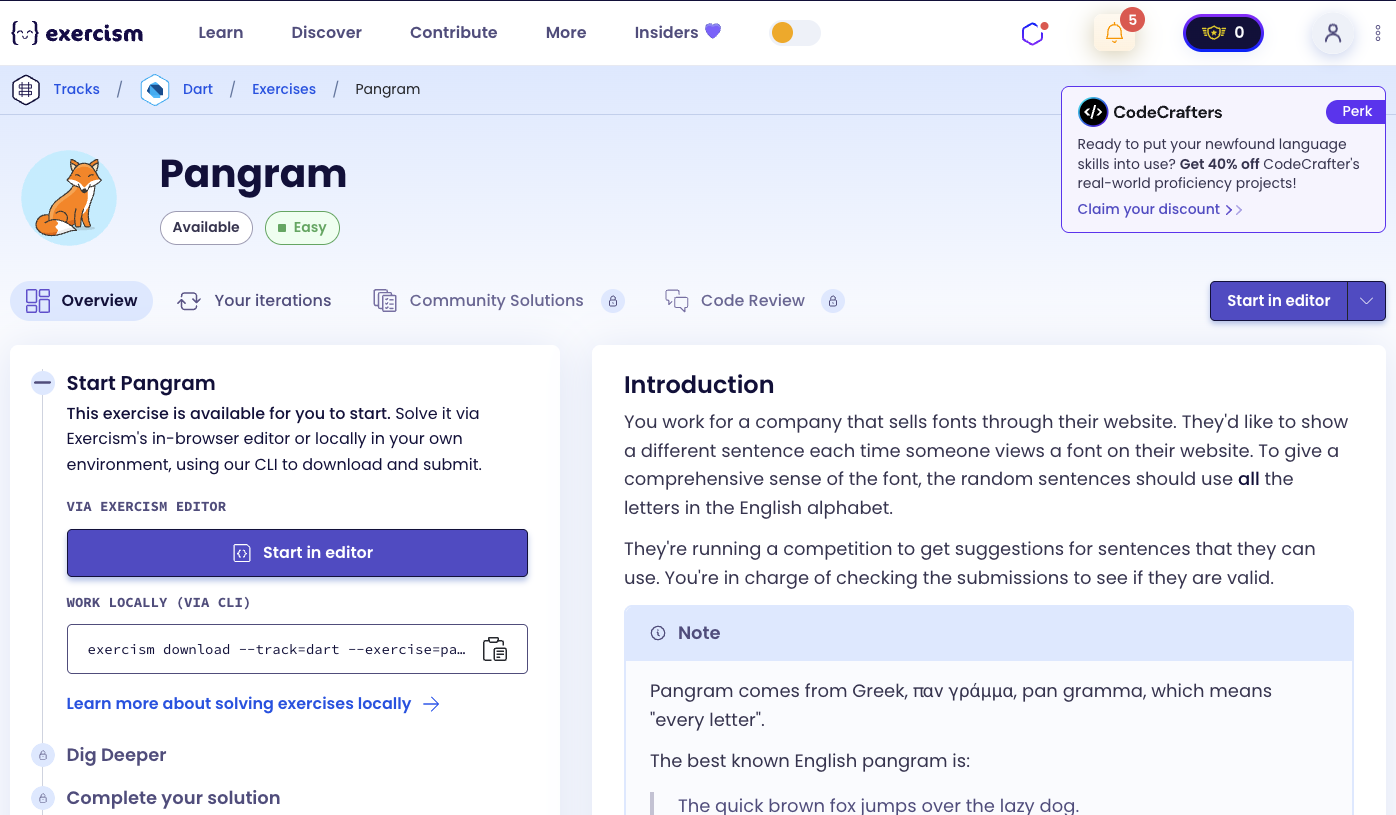
Introduction
You work for a company that sells fonts through their website. They’d like to show a different sentence each time someone views a font on their website. To give a comprehensive sense of the font, the random sentences should use all the letters in the English alphabet.
They’re running a competition to get suggestions for sentences that they can use. You’re in charge of checking the submissions to see if they are valid.
Note
Pangram comes from Greek, παν γράμμα, pan gramma, which means “every letter”.
The best known English pangram is:
The quick brown fox jumps over the lazy dog.
Instructions
Your task is to figure out if a sentence is a pangram.
A pangram is a sentence using every letter of the alphabet at least once. It is case insensitive, so it doesn’t matter if a letter is lower-case (e.g. k) or upper-case (e.g. K).
For this exercise, a sentence is a pangram if it contains each of the 26 letters in the English alphabet.
What is a pangram?
A pangram or holoalphabetic sentence is a sentence using every letter of a given alphabet at least once. Pangrams have been used to display typefaces, test equipment, and develop skills in handwriting, calligraphy, and keyboarding. The best known English pangram is “The quick brown fox jumps over the lazy dog.”
— Wikipedia
How can we check if a sentence is a pangram?
To check if a sentence is a pangram:
- Convert to lowercase: Make all letters lowercase for case-insensitive comparison
- Remove non-letters: Remove all characters that aren’t letters (spaces, punctuation, numbers)
- Split into characters: Convert the cleaned string to a list of individual characters
- Remove duplicates: Convert the list to a set (which automatically removes duplicate letters)
- Check length: If the set has exactly 26 elements, it’s a pangram
The key insight is using a set to automatically remove duplicate letters, then checking if we have all 26 unique letters.
For example, with “The quick brown fox jumps over the lazy dog.”:
- Lowercase: “the quick brown fox jumps over the lazy dog.”
- Remove non-letters: “thequickbrownfoxjumpsoverthelazydog”
- Split: [‘t’, ‘h’, ‘e’, ‘q’, ‘u’, ‘i’, ‘c’, ‘k’, ‘b’, ‘r’, ‘o’, ‘w’, ‘n’, ‘f’, ‘o’, ‘x’, ‘j’, ‘u’, ‘m’, ‘p’, ‘s’, ‘o’, ‘v’, ‘e’, ‘r’, ‘t’, ‘h’, ‘e’, ‘l’, ‘a’, ‘z’, ‘y’, ‘d’, ‘o’, ‘g’]
- To set: {t, h, e, q, u, i, c, k, b, r, o, w, n, f, x, j, m, p, s, v, l, a, z, y, d, g}
- Length: 26 → Pangram!
Solution
class Pangram {
  bool isPangram(String pString) {
    return pString
        .toLowerCase()
        .replaceAll(RegExp(r'[^a-z]'), '')
        .split('')
        .toSet()
        .length == 26;
  }
}
Let’s break down the solution:
-
bool isPangram(String pString)- Main method that checks if a sentence is a pangram:- Takes a sentence string as input
- Returns
trueif it’s a pangram,falseotherwise - Uses method chaining to process the string
-
.toLowerCase()- Convert to lowercase:- Converts all characters to lowercase for case-insensitive comparison
- Example: “The Quick Brown Fox” → “the quick brown fox”
-
.replaceAll(RegExp(r'[^a-z]'), '')- Remove non-letter characters:- Uses a negated character class
[^a-z]to match anything that is NOT a lowercase letter - Removes spaces, punctuation, numbers, and any other non-letter characters
- Example: “the quick brown fox!” → “thequickbrownfox”
- Uses a negated character class
-
.split('')- Split into characters:- Converts the cleaned string into a list of individual characters
- Example: “thequickbrownfox” → [‘t’, ‘h’, ‘e’, ‘q’, ‘u’, ‘i’, ‘c’, ‘k’, ‘b’, ‘r’, ‘o’, ‘w’, ‘n’, ‘f’, ‘o’, ‘x’]
-
.toSet()- Remove duplicates:- Converts the list to a set, which automatically removes duplicate letters
- Example: [‘t’, ‘h’, ‘e’, ‘q’, ‘u’, ‘i’, ‘c’, ‘k’, ‘b’, ‘r’, ‘o’, ‘w’, ‘n’, ‘f’, ‘o’, ‘x’] → {t, h, e, q, u, i, c, k, b, r, o, w, n, f, x}
- Note: duplicate ‘o’ is removed
-
.length == 26- Check if all letters present:- Checks if the set contains exactly 26 unique letters
- If true, the sentence uses every letter of the alphabet at least once → it’s a pangram
- Returns
truefor pangrams,falseotherwise
The solution efficiently checks for pangrams by using method chaining to normalize, clean, and deduplicate the input, then verifying that all 26 letters are present.
You can watch this tutorial on YouTube. So don’t forget to like and subscribe. 😉
Watch on YouTube