Exercism - Relative Distance
This post shows you how to get Relative Distance exercise of Exercism.

Preparation
Before we click on our next exercise, let’s see what concepts of DART we need to consider
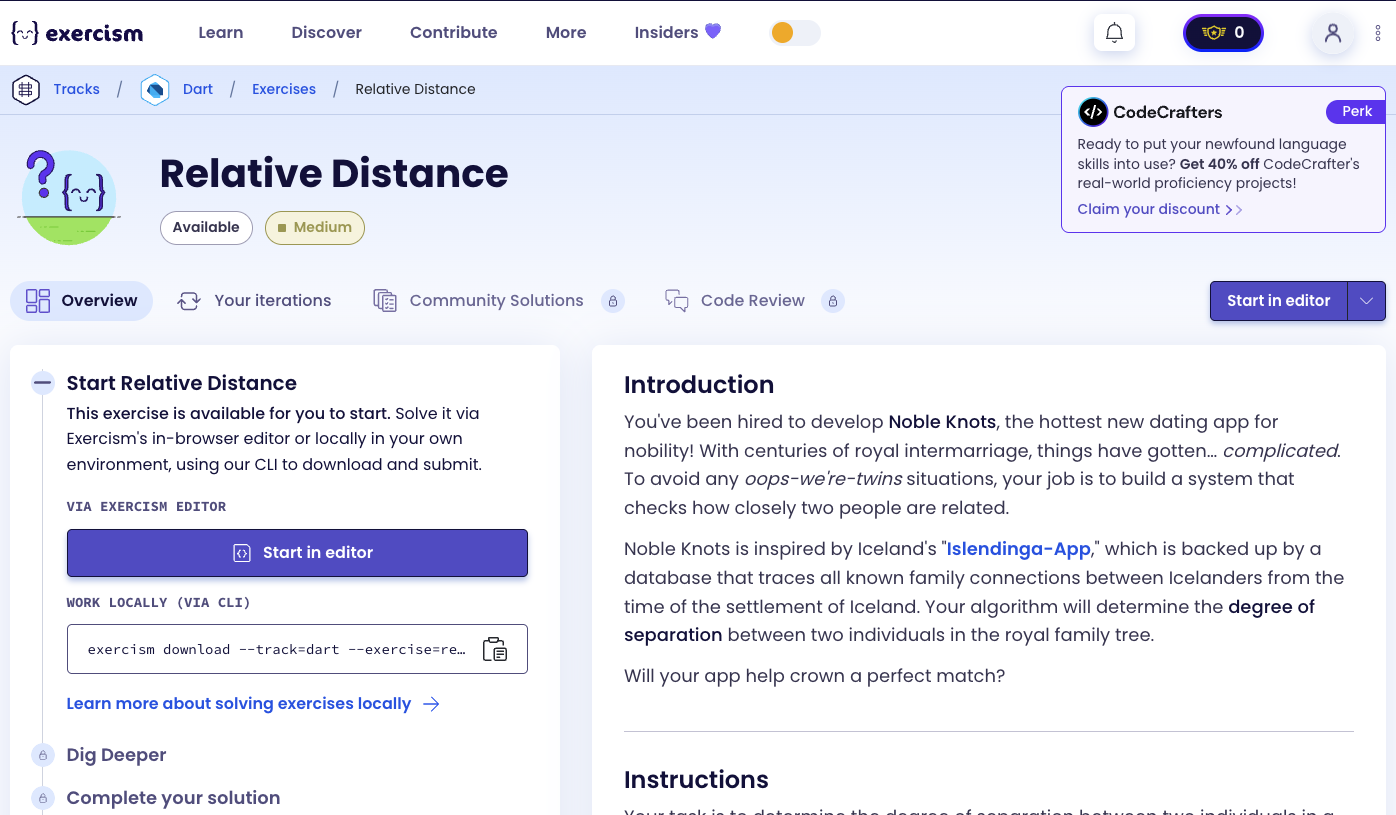
So we need to use the following concepts.
Sealed Classes
Sealed classes define a closed set of subtypes that can be extended. They’re perfect for representing a fixed set of possible outcomes, like search results.
// Sealed class - defines a closed set of types
sealed class SearchResult {}

// Final class - one of the sealed subtypes
final class Found extends SearchResult {
  final int distance;
  Found(this.distance);
}

// Another sealed subtype
final class NotFound extends SearchResult {}

void main() {
  // Can only be Found or NotFound
  SearchResult result = Found(5);

  // Pattern matching with switch
  switch (result) {
    case Found(:final distance):
      print('Found at distance $distance');
    case NotFound():
      print('Not found');
  }
}
Maps
Maps store key-value pairs. They’re perfect for representing graphs where each person maps to their connections (children, parents, siblings).
void main() {
  // Create map
  Map<String, Set<String>> graph = {};

  // Add key with default value if absent
  graph.putIfAbsent('Alice', () => {});

  // Add values to set
  graph['Alice']!.add('Bob');
  graph['Alice']!.add('Charlie');

  // Check if key exists
  if (graph.containsKey('Alice')) {
    print(graph['Alice']); // {Bob, Charlie}
  }

  // Check if value contains element
  if (graph['Alice']!.contains('Bob')) {
    print('Bob is connected to Alice');
  }
}
Sets
Sets are unordered collections of unique elements. They’re perfect for storing connections in a graph and tracking visited nodes.
void main() {
  // Create set
  Set<String> visited = {};

  // Add elements
  visited.add('Alice');
  visited.add('Bob');

  // Check if contains
  if (visited.contains('Alice')) {
    print('Already visited');
  }

  // Add returns true if new, false if already exists
  bool isNew = visited.add('Alice'); // false (already exists)
  bool isNew2 = visited.add('Charlie'); // true (new element)

  // Use for filtering
  List<String> nodes = ['Alice', 'Bob', 'Charlie'];
  List<String> unvisited = nodes.where(visited.add).toList();
  // visited.add returns true for unvisited nodes
}
Queue (from dart:collection)
Queues are first-in-first-out (FIFO) data structures. They’re essential for breadth-first search (BFS) algorithms.
import 'dart:collection';

void main() {
  // Create queue
  Queue<(String, int)> queue = Queue();

  // Add elements
  queue.add(('Alice', 0));
  queue.add(('Bob', 1));

  // Check if empty
  if (queue.isNotEmpty) {
    // Remove and get first element
    var (name, distance) = queue.removeFirst();
    print('$name at distance $distance');
  }

  // Add multiple elements
  queue.addAll([
    ('Charlie', 2),
    ('David', 3),
  ]);
}
Records (Tuples)
Records allow you to group multiple values together. They’re useful for storing pairs like (node, distance) in BFS.
void main() {
  // Record syntax: (name, distance)
  var node = ('Alice', 0);
  print(node); // (Alice, 0)

  // Destructure records
  var (name, distance) = node;
  print(name); // Alice
  print(distance); // 0

  // Use in queue
  Queue<(String, int)> queue = Queue();
  queue.add(('Alice', 0));

  // Destructure when removing
  var (current, dist) = queue.removeFirst();
  print('$current at distance $dist');
}
Pattern Matching with Switch Expressions
Switch expressions allow pattern matching on sealed classes and return values directly. They’re perfect for handling different search result types.
sealed class SearchResult {}
final class Found extends SearchResult {
  final int distance;
  Found(this.distance);
}
final class NotFound extends SearchResult {}

void main() {
  SearchResult result = Found(5);

  // Switch expression with pattern matching
  int distance = switch (result) {
    Found(:final distance) => distance,
    NotFound() => -1,
  };

  // Pattern matching with named parameters
  SearchResult result2 = Found(10);
  switch (result2) {
    case Found(:final distance):
      print('Found at distance $distance');
    case NotFound():
      print('Not found');
  }
}
Constructor Initialization Lists
Constructor initialization lists allow you to initialize fields and execute code before the constructor body runs. They’re perfect for building data structures during object creation.
class RelativeDistance {
  final Map<String, Set<String>> _graph;

  // Constructor with initializer list
  RelativeDistance(Map<String, List<String>> tree) : _graph = {} {
    // Body runs after initializer list
    tree.forEach((parent, children) {
      _graph.putIfAbsent(parent, () => {}).addAll(children);
    });
  }
}

void main() {
  Map<String, List<String>> tree = {
    'Alice': ['Bob', 'Charlie'],
  };
  RelativeDistance rd = RelativeDistance(tree);
}
Map putIfAbsent()
The putIfAbsent() method returns the value for a key if it exists, otherwise creates it using a function. It’s perfect for initializing map entries.
void main() {
  Map<String, Set<String>> graph = {};

  // Put if absent - creates set if key doesn't exist
  graph.putIfAbsent('Alice', () => {});

  // Now we can safely add to the set
  graph['Alice']!.add('Bob');

  // Chain with addAll
  graph.putIfAbsent('Alice', () => {}).addAll(['Bob', 'Charlie']);

  // If key exists, returns existing value
  Set<String> existing = graph.putIfAbsent('Alice', () => {});
  print(existing); // {Bob, Charlie} (not a new empty set)
}
Set addAll()
The addAll() method adds all elements from an iterable to a set. It’s useful for adding multiple connections at once.
void main() {
  Set<String> connections = {};

  // Add multiple elements
  connections.addAll(['Alice', 'Bob', 'Charlie']);
  print(connections); // {Alice, Bob, Charlie}

  // Add from another set
  Set<String> more = {'David', 'Eve'};
  connections.addAll(more);
  print(connections); // {Alice, Bob, Charlie, David, Eve}

  // Use with graph
  Map<String, Set<String>> graph = {};
  graph.putIfAbsent('Alice', () => {}).addAll(['Bob', 'Charlie']);
}
List where() Method
The where() method filters a list based on a condition. It’s useful for finding unvisited nodes or filtering siblings.
void main() {
  List<String> nodes = ['Alice', 'Bob', 'Charlie', 'David'];
  Set<String> visited = {'Alice', 'Bob'};

  // Filter unvisited nodes
  List<String> unvisited = nodes.where((node) => !visited.contains(node)).toList();
  print(unvisited); // [Charlie, David]

  // Filter with add (returns true for new elements)
  List<String> newNodes = nodes.where(visited.add).toList();
  // visited.add returns true only for unvisited nodes
  print(newNodes); // [Charlie, David] (Alice and Bob already visited)

  // Filter siblings (excluding self)
  List<String> siblings = ['Alice', 'Bob', 'Charlie'];
  String current = 'Bob';
  List<String> others = siblings.where((s) => s != current).toList();
  print(others); // [Alice, Charlie]
}
Breadth-First Search (BFS)
Breadth-First Search is a graph traversal algorithm that explores all nodes at the current depth before moving to the next level. It’s perfect for finding the shortest path between two nodes.
import 'dart:collection';

void main() {
  Map<String, Set<String>> graph = {
    'Alice': {'Bob', 'Charlie'},
    'Bob': {'Alice', 'David'},
    'Charlie': {'Alice'},
    'David': {'Bob'},
  };

  // BFS to find shortest path
  int bfs(String start, String target) {
    Queue<(String, int)> queue = Queue()..add((start, 0));
    Set<String> visited = {start};

    while (queue.isNotEmpty) {
      var (current, distance) = queue.removeFirst();

      if (current == target) return distance;

      // Add neighbors
      for (var neighbor in graph[current] ?? {}) {
        if (visited.add(neighbor)) {
          queue.add((neighbor, distance + 1));
        }
      }
    }

    return -1; // Not found
  }

  print(bfs('Alice', 'David')); // 2 (Alice -> Bob -> David)
}
Comparison Operators
Comparison operators (==, !=) compare values and return boolean results. They’re used to check if we’ve reached the target node.
void main() {
  String current = 'Alice';
  String target = 'Bob';

  // Equality check
  if (current == target) {
    print('Found!');
  }

  // Not equal
  if (current != target) {
    print('Continue searching');
  }

  // Use in BFS
  String node = 'Alice';
  if (node == target) {
    return distance; // Found target
  }
}
Expression-Bodied Methods
Expression-bodied methods use => to return a value directly. They’re perfect for concise methods that return a single expression.
class RelativeDistance {
  int degreesOfSeparation(String p1, String p2) =>
      p1 == p2 ? 0 : _bfs(p1, p2).distance;
}

// Equivalent to:
int degreesOfSeparation(String p1, String p2) {
  if (p1 == p2) return 0;
  return _bfs(p1, p2).distance;
}
Introduction
You’ve been hired to develop Noble Knots, the hottest new dating app for nobility! With centuries of royal intermarriage, things have gotten… complicated. To avoid any oops-we’re-twins situations, your job is to build a system that checks how closely two people are related.
Noble Knots is inspired by Iceland’s “Islendinga-App,” which is backed up by a database that traces all known family connections between Icelanders from the time of the settlement of Iceland. Your algorithm will determine the degree of separation between two individuals in the royal family tree.
Will your app help crown a perfect match?
Instructions
Your task is to determine the degree of separation between two individuals in a family tree. This is similar to the pop culture idea that every Hollywood actor is within six degrees of Kevin Bacon.
You will be given an input, with all parent names and their children.
Each name is unique, a child can have one or two parents.
The degree of separation is defined as the shortest number of connections from one person to another.
If two individuals are not connected, return a value that represents “no known relationship.” Please see the test cases for the actual implementation.
Example
Given the following family tree:
      ┌──────────┐            ┌──────────┐     ┌───────────┐
      │  Helena  │            │  Erdős   ├─────┤  Shusaku  │
      └───┬───┬──┘            └─────┬────┘     └────┬──────┘
      ┌───┘   └───────┐             └───────┬───────┘
┌─────┴────┐     ┌────┴───┐           ┌─────┴────┐
│   Isla   ├─────┤ Tariq  │           │   Kevin  │
└────┬─────┘     └────┬───┘           └──────────┘
     │                │
┌────┴────┐      ┌────┴───┐
│   Uma   │      │ Morphy │
└─────────┘ └────────┘- The degree of separation between Tariq and Uma is 2 (Tariq → Isla → Uma).
- There’s no known relationship between Isla and Kevin, as there is no connection in the given data.
- The degree of separation between Uma and Isla is 1.
Note
Isla and Tariq are siblings and have a separation of 1. Similarly, this implementation would report a separation of 2 from you to your father’s brother.
How does relative distance work?
To find the degree of separation between two people:
- Build graph: Create a bidirectional graph where:
- Parent-child relationships are bidirectional (parent ↔ child)
- Siblings are connected to each other
- Handle same person: If both people are the same, return 0
- Breadth-First Search: Use BFS to find the shortest path:
- Start from person 1
- Explore all connections at distance 1, then distance 2, etc.
- Stop when person 2 is found
- Return result: Return the distance if found, or -1 if not connected
The key insight is modeling the family tree as a graph where:
- Parent-child edges are bidirectional
- Siblings are directly connected
- BFS finds the shortest path (degree of separation)
For example, finding distance from Tariq to Uma:
- Tariq is connected to Isla (sibling)
- Isla is connected to Uma (parent-child)
- Shortest path: Tariq → Isla → Uma (distance 2)
Solution
import 'dart:collection';

sealed class SearchResult {}
final class Found extends SearchResult {
  final int distance;
  Found(this.distance);
}
final class NotFound extends SearchResult {}

class RelativeDistance {
  final Map<String, Set<String>> _graph;

  RelativeDistance(Map<String, List<String>> tree) : _graph = {} {
    // Parent-child bidirectional edges
    tree.forEach((parent, children) {
      _graph.putIfAbsent(parent, () => {}).addAll(children);
      for (final child in children) {
        _graph.putIfAbsent(child, () => {}).add(parent);
      }
    });

    // Sibling edges
    tree.values.where((s) => s.length > 1).forEach((siblings) {
      for (final sibling in siblings) {
        _graph[sibling]!.addAll(siblings.where((s) => s != sibling));
      }
    });
  }

  int degreesOfSeparation(String p1, String p2) =>
      p1 == p2 ? 0 : switch (_bfs(p1, p2)) {
        Found(:final distance) => distance,
        NotFound() => -1,
      };

  SearchResult _bfs(String start, String target) {
    if (!_graph.containsKey(start) || !_graph.containsKey(target)) return NotFound();

    final queue = Queue<(String, int)>()..add((start, 0));
    final visited = {start};

    while (queue.isNotEmpty) {
      final (current, dist) = queue.removeFirst();
      if (_graph[current]!.contains(target)) return Found(dist + 1);
      queue.addAll(_graph[current]!.where(visited.add).map((n) => (n, dist + 1)));
    }
    return NotFound();
  }
}
Let’s break down the solution:
-
import 'dart:collection'- Import Queue:- Imports the
Queueclass for BFS - Queue provides FIFO (first-in-first-out) operations
- Imports the
-
sealed class SearchResult- Sealed result type:- Defines a closed set of possible search outcomes
- Can only be
FoundorNotFound
-
final class Found extends SearchResult- Found result:- Represents a successful search
- Contains the distance to the target
-
final class NotFound extends SearchResult- Not found result:- Represents an unsuccessful search
- No additional data needed
-
class RelativeDistance- Main class:- Encapsulates the family tree and search logic
- Builds graph in constructor
-
final Map<String, Set<String>> _graph- Graph representation:- Maps each person to their set of connections
- Uses Set to avoid duplicate connections
-
RelativeDistance(Map<String, List<String>> tree) : _graph = {}- Constructor:- Initializer list creates empty graph
- Constructor body builds the graph structure
-
tree.forEach((parent, children) => ...)- Build parent-child edges:- Iterates through each parent and their children
- Creates bidirectional edges (parent ↔ child)
-
_graph.putIfAbsent(parent, () => {}).addAll(children)- Add children to parent:- Creates parent’s set if absent
- Adds all children to parent’s connections
-
_graph.putIfAbsent(child, () => {}).add(parent)- Add parent to child:- Creates child’s set if absent
- Adds parent to child’s connections (bidirectional)
-
tree.values.where((s) => s.length > 1)- Find sibling groups:- Filters to only children lists with multiple siblings
- Siblings are children of the same parent(s)
-
_graph[sibling]!.addAll(siblings.where((s) => s != sibling))- Connect siblings:- For each sibling, adds all other siblings
- Excludes self from connections
-
int degreesOfSeparation(String p1, String p2)- Public method:- Expression-bodied method
- Returns 0 if same person
- Otherwise calls BFS and handles result
-
switch (_bfs(p1, p2))- Pattern matching:- Uses switch expression to handle search result
- Extracts distance from
Foundcase - Returns -1 for
NotFoundcase
-
SearchResult _bfs(String start, String target)- BFS implementation:- Private method that performs breadth-first search
- Returns
Found(distance)orNotFound()
-
if (!_graph.containsKey(start) || !_graph.containsKey(target))- Validate nodes:- Checks if both people exist in the graph
- Returns
NotFound()if either is missing
-
final queue = Queue<(String, int)>()..add((start, 0))- Initialize queue:- Creates queue with (node, distance) records
- Starts with start node at distance 0
- Uses cascade operator (
..) to add initial element
-
final visited = {start}- Track visited nodes:- Set to avoid revisiting nodes
- Starts with the start node
-
while (queue.isNotEmpty)- BFS loop:- Continues until queue is empty or target found
- Processes nodes level by level
-
final (current, dist) = queue.removeFirst()- Get next node:- Removes and destructures first queue element
- Gets current node and its distance
-
if (_graph[current]!.contains(target))- Check if target is neighbor:- Checks if target is directly connected to current node
- If yes, found at distance + 1
-
return Found(dist + 1)- Return found result:- Target is one step away from current node
- Distance is current distance + 1
-
queue.addAll(_graph[current]!.where(visited.add).map((n) => (n, dist + 1)))- Add neighbors:- Filters neighbors to only unvisited ones (
visited.addreturns true for new) - Maps each neighbor to (neighbor, distance + 1)
- Adds all to queue for next level exploration
- Filters neighbors to only unvisited ones (
-
return NotFound()- Not found case:- If loop ends without finding target, no path exists
- Returns
NotFound()result
The solution efficiently finds the shortest path between two people using BFS, which guarantees the minimum degree of separation. The graph construction handles parent-child relationships bidirectionally and connects siblings directly, accurately modeling family relationships.
A video tutorial for this exercise is coming soon! In the meantime, check out my YouTube channel for more Dart and Flutter tutorials. 😉
Visit My YouTube Channel